LEARN / REFERENCE
All Features and Flows
Start with the first backup, then follow the task that matches what you want to change.
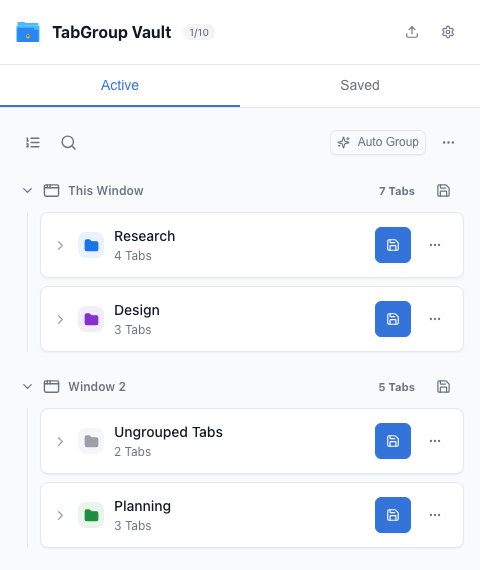
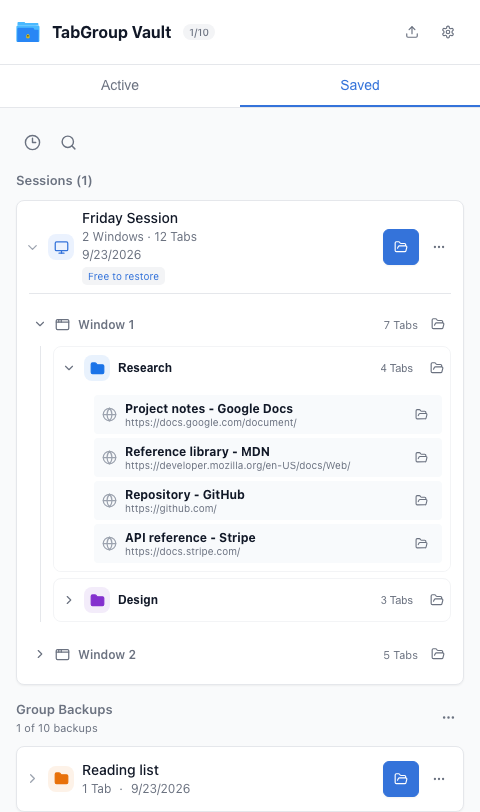
Save and Restore a GroupSave, inspect and reopen one Group or loose Tabs.Save a Window or SessionCapture one Window or a multi-Window workspace.Edit Saved ContentNames, colors, Tabs, Groups and Window placement.Sort and PinActive and Saved views, live Tab order and pinned Sessions.Auto GroupPreview Groups for loose Tabs, apply or undo.Search and Selective RestoreFind a Tab across open and saved work.Bulk Save and UpdateUpdate matching backups or save a separate copy.Export and ImportJSON for recovery; Markdown and CSV for reference.Drive Sync and Backup HistoryConnect, sync and restore an earlier copy.RecoveryRestore after closing Tabs or changing computers.Settings and AutomationLanguage, themes, shortcuts, auto-save and license.Plan and Data ModelUnderstand what each backup contains.
More Controls
Group actions include Edit Group, Export Group, Sort Tabs, Save & close, and Close Tabs. Session actions include Edit Session, selective Restore, Export, Pin and Delete. Settings also includes license and profile management, backup cleanup, analytics choice, the product tour, and support. Recovery explains partial restores and backups that need attention.