Quick answer
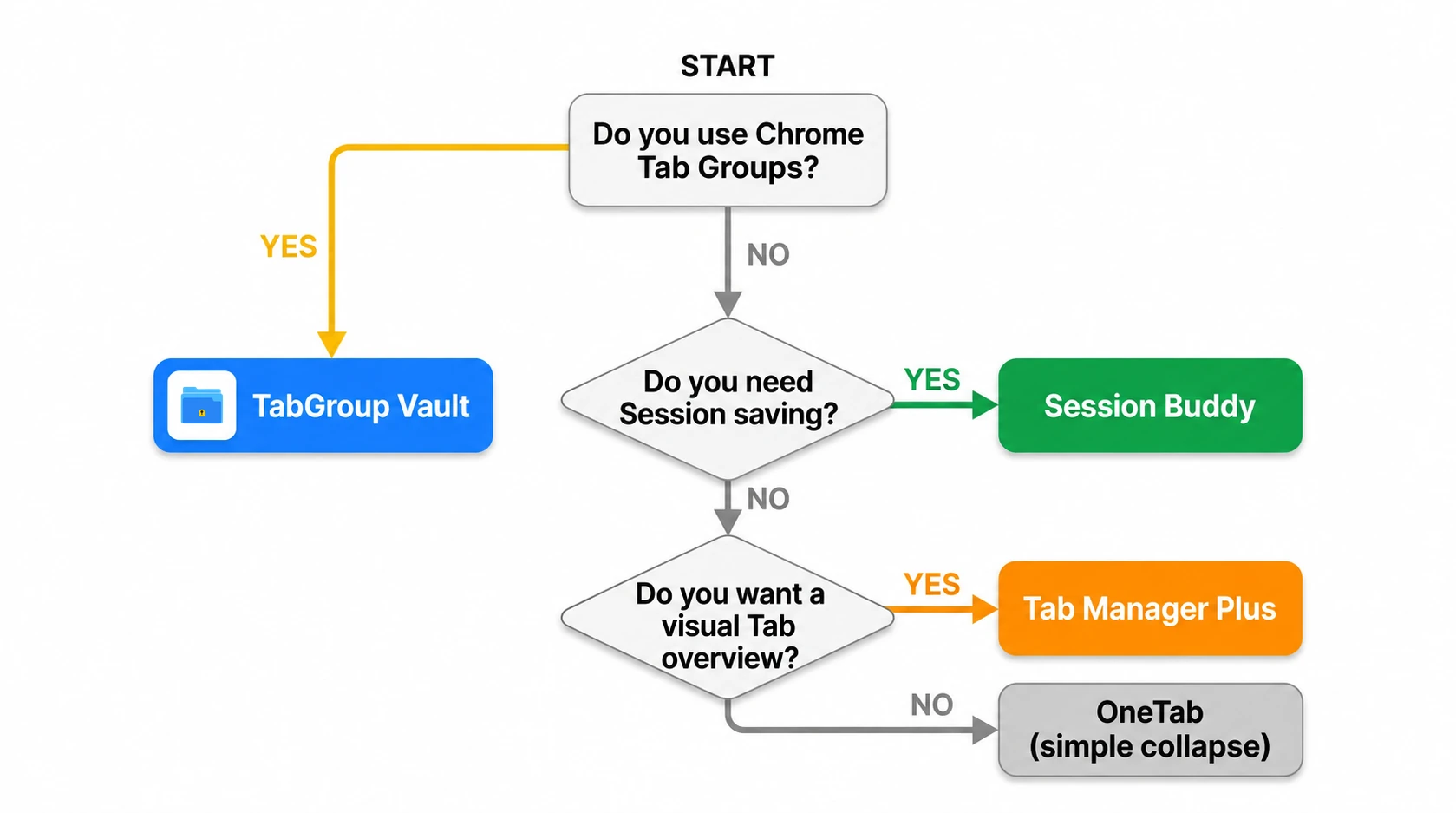
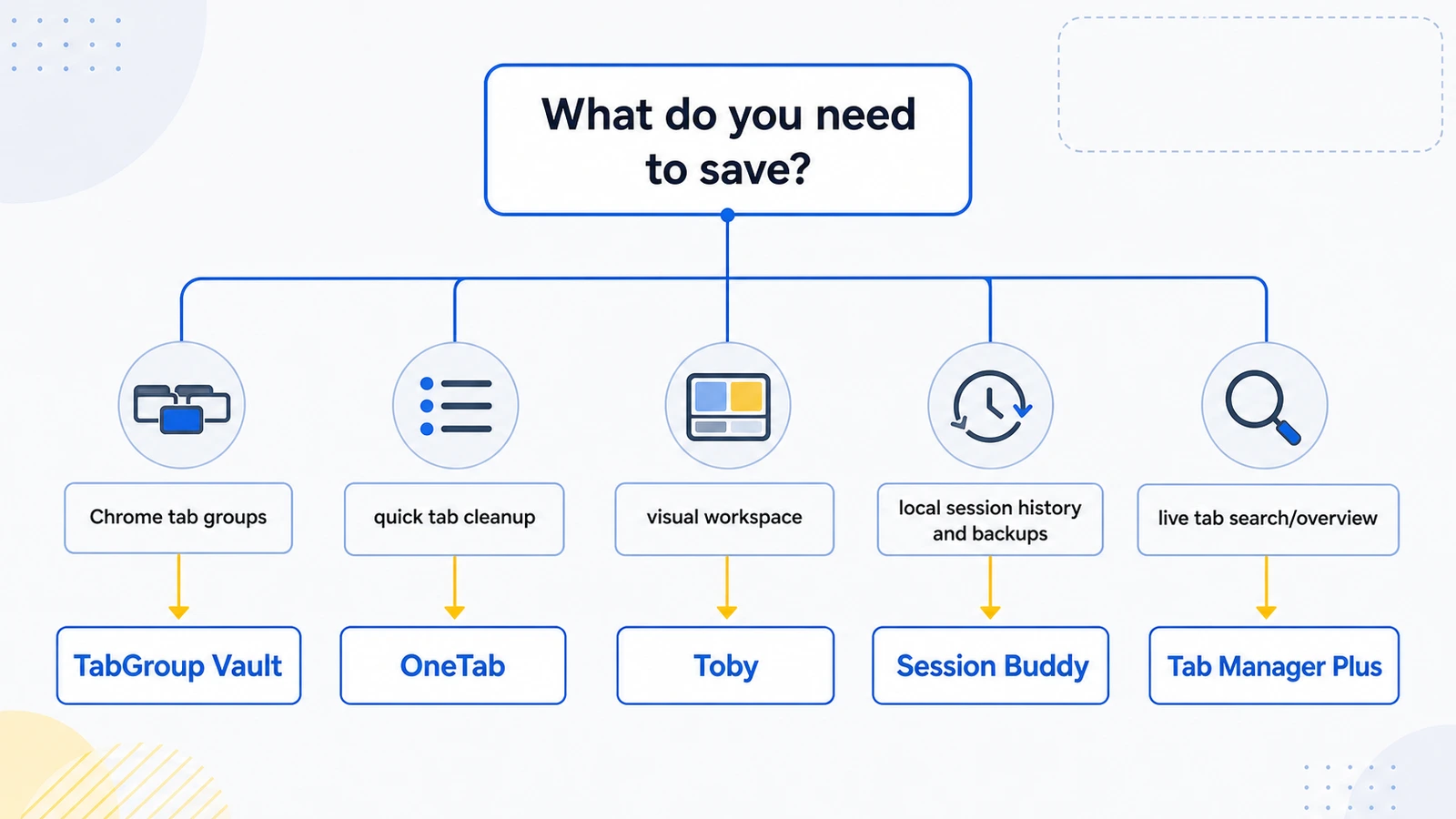
For saved Chrome Tab Groups, start with TabGroup Vault. For one-click cleanup and memory reduction, use OneTab. For a visual new-Tab workspace, use Toby. For local-first Session history and backups, use Session Buddy.
Best Chrome Tab Managers at a Glance
| Feature | What to Check |
|---|---|
| TabGroup Vault | Save Group backups and whole Sessions. Local data; optional Pro Drive backup and Window-close auto-save. Keep an export outside the Profile. |
| Session Buddy | Session and Window organization with automatic local backups. Native Chrome Group support remains on its roadmap. Cloud collections have a separate rollout and plan. |
| Tab Session Manager | The current developer listing includes Chrome/Firefox Group saving, automatic saves, and optional cloud sync. Chrome Group saving no longer requires a companion extension. |
| OneTab | Save Tabs into lists. Its current documentation also describes encrypted cross-browser sync, folders, notes, and tasks. Test exact Chrome Group metadata restoration separately. |
| Workona | Project spaces with resources, notes, and tasks. Tab management must be enabled; it documents Session backups and cross-device use. Check current plans instead of assuming a fixed monthly price. |
| Toby | Visual link collections and shared Spaces with account sync. Its current plans include Session saving. Collection organization is not evidence of identical Chrome Group metadata restoration. |
| Tab Manager Plus | Free, open source under MPLv2. The current repository documents open-Tab search, Window saving, and limits on open Tabs. Compare restore behavior using your own sample Group. |
Sources Checked October 1, 2026: TabGroup Vault Features · Session Buddy Roadmap · Session Buddy Backups · Session Buddy Cloud Plans · Tab Session Manager · OneTab · Workona Tab Manager · Toby · Tab Manager Plus Source
How We Tested
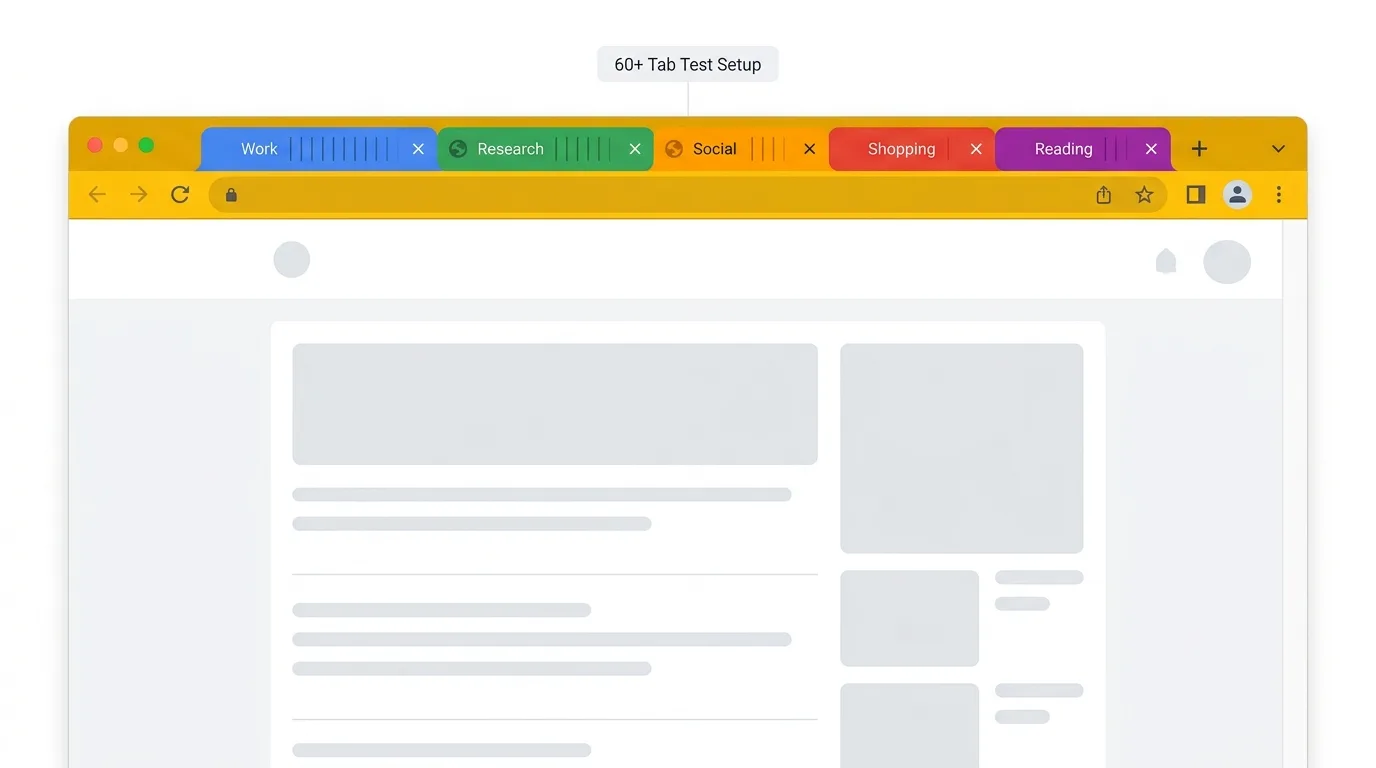
We installed each extension on a clean Chrome profile and used it as the primary Tab manager for two full days. The test setup had 60+ open Tabs, 5 Chrome Tab Groups, and 2 Windows. Each extension had to save all Tabs, restore Tabs, preserve Tab Group structure where possible, and handle a simulated Chrome crash.
We also checked install size, permissions, interface quality, and pricing. The ranking favors Chrome users who need more than the browser's built-in Tab controls but do not want a heavy workspace system just to save a Friday afternoon of research.
1. TabGroup Vault - Best for Tab Group Users
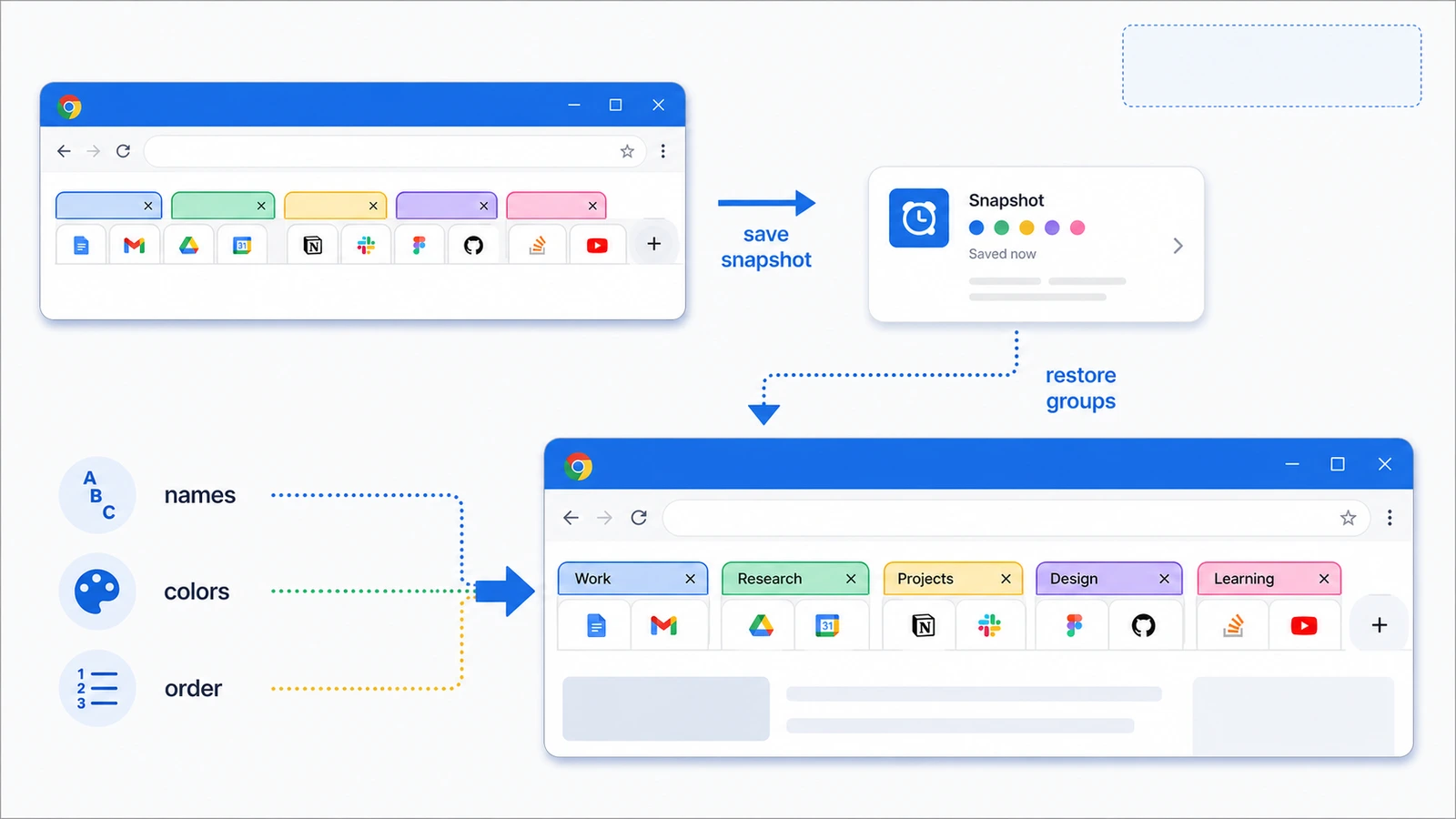
TabGroup Vault is the strongest pick if you already use Chrome's native Tab Groups. One click saves every Group as a snapshot, including Group names, colors, Tab order, and URLs. Another click brings the setup back.
That matters because flat Session savers tend to turn a research project, client workspace, or weekly planning setup into a pile of links. TabGroup Vault keeps the Chrome structure you already built.
Pros
- Full Tab Group preservation (names, colors, order)
- One-click save and restore
- Auto-save in Pro version
- Clean, minimal interface
- One-time $39 price (no subscription)
Cons
- Free tier limited to 10 snapshots
- No Safari version
- Focused specifically on Tab Groups, not a general Session manager
TabGroup Vault
Rating: 9/10
Price: Free (10 snapshots) / $39 lifetime Pro
Best for: Anyone who uses Chrome Tab Groups and wants a cleaner way to bring them back
2. OneTab - Best for One-Click Tab Cleanup
OneTab is the right choice when your main goal is to get dozens of open Tabs out of memory quickly. It converts open Tabs into a list, then lets you restore Tabs one by one or all at once. Its Chrome Web Store listing claims up to 95% memory savings by reducing the number of open Tabs.
OneTab is not a Tab Group archive. It saves URLs into a list rather than preserving Chrome Group names, colors, or positions. Community reports show real anxiety around lost lists after crashes or updates, so export important OneTab lists when the work would hurt to lose.
For privacy, OneTab's store listing says Tab URLs are not transmitted or disclosed except when you intentionally use "share as a web page." The listing also says the developer does not collect or use data.
Pros
- Converts open Tabs into a restorable list
- Restores Tabs individually or all at once
- Simple way to reduce open-Tab memory use
- Store listing says Tab URLs are not transmitted unless you use sharing
Cons
- No Chrome Tab Group preservation
- Flat lists can become messy over time
- Important saved lists should be exported as a backup
3. Toby - Best Visual New-Tab Workspace
Toby fits people who want a visual workspace on the new Tab page. It organizes browser Sessions and collections with spaces, drag and drop, search, notes, quick access, light and dark mode, Toby Links, Toby Next, and Toby AI.
Toby works best when you think in projects or collections rather than native Chrome Tab Groups. It can save and restore Sessions, but it is not a direct Chrome Tab Group backup tool.
Pros
- Visual new-Tab workspace
- Collections, spaces, notes, and search
- Session save and restore
- Polished interface
Cons
- Replaces your new Tab page
- No direct Chrome Tab Group archive
- May be more workspace than you need for quick cleanup
4. Session Buddy - Best Local-First Session Backup
Session Buddy fits people who want Session history and backups without turning the browser into a cloud workspace. Its official site says there is no signup required, bookmarks and Tab history are stored on your device rather than a server, and there are no ads, tracking, data sharing, or login requirements.
It also supports local backups, import, and export. That makes Session Buddy useful when you want a searchable archive of Windows and Tabs. The catch is Tab Group structure: it is a Session tool, not a native Chrome Tab Group preservation tool.
Pros
- No signup required
- Stores bookmarks and Tab history on device
- No ads, tracking, data sharing, or login
- Local backup, import, and export support
Cons
- Does not preserve Chrome Tab Group structure
- Better for Session archives than visual workspace planning
- Local data still needs backup discipline
5. Workona - Best for Spaces with Tabs and Docs
Workona is useful if you want spaces that combine Tabs, documents, search, auto-save, Tab suspension, and cross-computer sync. Think of it as a workspace layer, not a simple Chrome Tab Group saver.
Keep it on your shortlist if your real problem is project context across computers. Skip it if you mainly want to preserve native Chrome Tab Groups without adopting another workspace system.
Pros
- Spaces for Tabs and docs
- Auto-save, search, and Tab suspension
- Cross-computer sync
Cons
- Cloud workspace model may be more than you need
- Runs alongside Chrome Tab Groups rather than enhancing them directly
- More setup than list-based tools
6. Tab Manager Plus - Best for Tab Search
Tab Manager Plus is an open-Tab and Window overview tool. It helps you find, filter, move, deduplicate, limit, and manage Tabs across Windows. Its Chrome Web Store listing shows version 6.0.0, updated October 2, 2024.
Use it when your problem is too many live Tabs. Do not choose it as your main saved-Session archive or Chrome Tab Group backup.
Pros
- Finds and filters open Tabs
- Moves and deduplicates Tabs
- Helps manage Tabs across Windows
Cons
- Not a saved-Session archive
- Not a Chrome Tab Group backup tool
- Best for live Tab management, not long-term storage
7. Nest - Best Free Option with Auto-Backup
Nest is a free Session recovery option with automatic background backup. It adds Tab snoozing, per-Tab notes, and search across open Tabs.
Nest does not preserve Chrome Tab Groups: restored Sessions come back as flat Windows. It also adds an AI chat sidebar, which may feel like extra weight if you only want Session backup. As a free safety net for users who do not need Group preservation, it is still a solid pick.
Pros
- Automatic Session backup
- Tab snooze and notes
- Completely free
- Actively maintained in 2026
Cons
- No Chrome Tab Group support
- AI sidebar feels bloated if you only want Session backup
- Newer extension, smaller track record than Session Buddy
Chrome Built-In Tab Groups vs Extensions
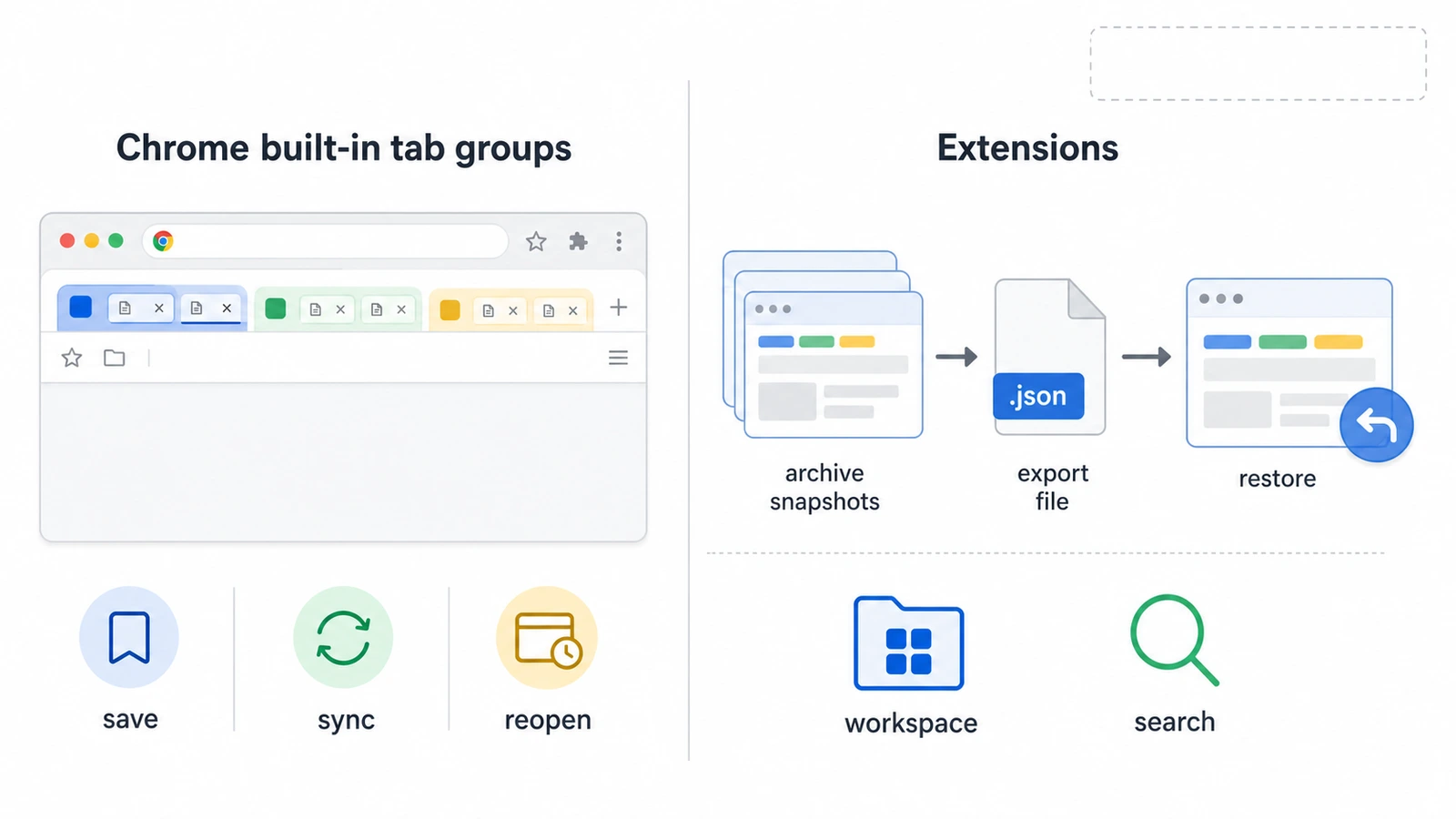
Chrome already supports creating Tab Groups, naming and coloring them, adding and removing Tabs, closing and reopening Groups, deleting or ungrouping Groups, and collapsing or expanding Groups. Chrome's desktop help also says Tab Group changes are automatically saved and synced when browsing history and Tabs are synced with a Google Account. Closed Groups can be saved in the bookmarks bar or menu and reopened later.
That covers basic browser organization. Extensions still matter when you want durable archives, backup and export, workspace systems, or Tab Group-specific snapshots. Community reports also point to confusion or failures around Chrome Tab Group save, sync, or visibility after restarts, updates, or profile state changes, so important work Sessions deserve a separate backup plan.
Toby vs OneTab
Choose OneTab if you want to collapse open Tabs into a simple restorable list and reduce memory use. Choose Toby if you want a visual workspace on your new Tab page with collections, spaces, notes, and search. Neither is the best fit if your priority is preserving Chrome's native Tab Group structure.
For the deeper comparison, see Toby vs OneTab. If you are specifically comparing Toby to TabGroup Vault, see TabGroup Vault vs Toby.
Overall Comparison
The Verdict
If you use Chrome Tab Groups, TabGroup Vault is the best Tab manager for saved Groups because it preserves the Group structure itself. If you want to clear Tab clutter fast, OneTab is the better fit. If you want a visual new-Tab workspace, use Toby. If you want local-first Session history and backups, use Session Buddy.
For adjacent choices, see our Tab Session manager guide, Tab suspender vs Tab manager comparison, and TabGroup Vault vs Tab Manager Plus. For broader organization tactics, see our guide to organizing Chrome Tabs.