Do You Still Need a Tab Suspender? (2026 Update)
Short answer: probably not. Chrome 140 (September 2025) shipped an ML-based Memory Saver that fundamentally changed the equation. Unlike the older version that simply discarded inactive Tabs after a timeout, the new Memory Saver uses machine learning to predict which Tabs you are likely to revisit and keeps those loaded while discarding the rest. It is smarter than any extension at deciding what to keep and what to drop.
To enable it (it is on by default in recent Chrome builds): go to Settings > Performance > Memory Saver. You can also whitelist specific sites that should always stay active -- useful for apps like Slack, Google Docs, or anything that needs a persistent connection.
This makes dedicated Tab suspender extensions unnecessary for most users. That said, extensions like The Great Suspender - No Tracking (the MV3 fork) still have a place for power users who want fine-grained control: custom suspension timeouts, per-domain whitelist rules, suspend-on-startup behavior, and visual indicators showing which Tabs are suspended.
Bottom line: For most people, Chrome's built-in Memory Saver is enough. Tab suspender extensions are now a power-user tool, not a necessity. The real question in 2026 is not "which suspender?" but "do you also need a Tab manager for organization?" -- and that is what the rest of this article covers.
Freezing vs Discarding vs Suspending: What Is the Difference?
These terms get used interchangeably, but they mean different things under the hood:
- Freezing (Chrome's Energy Saver): Stops JavaScript execution but keeps the Tab in RAM. The Tab resumes instantly when you click it. No data is lost, but memory savings are minimal.
- Discarding (Chrome's Memory Saver): Removes the Tab from RAM entirely. The Tab reloads when you click it. This frees significant memory but loses in-page state like scroll position and unsaved form data.
- Extension suspending: Similar to discarding, but some extensions save scroll position, form data, and other state before suspending. Some replace the Tab with a lightweight placeholder page, which uses less memory than keeping the original loaded.
The Confusion Between Suspenders and Managers
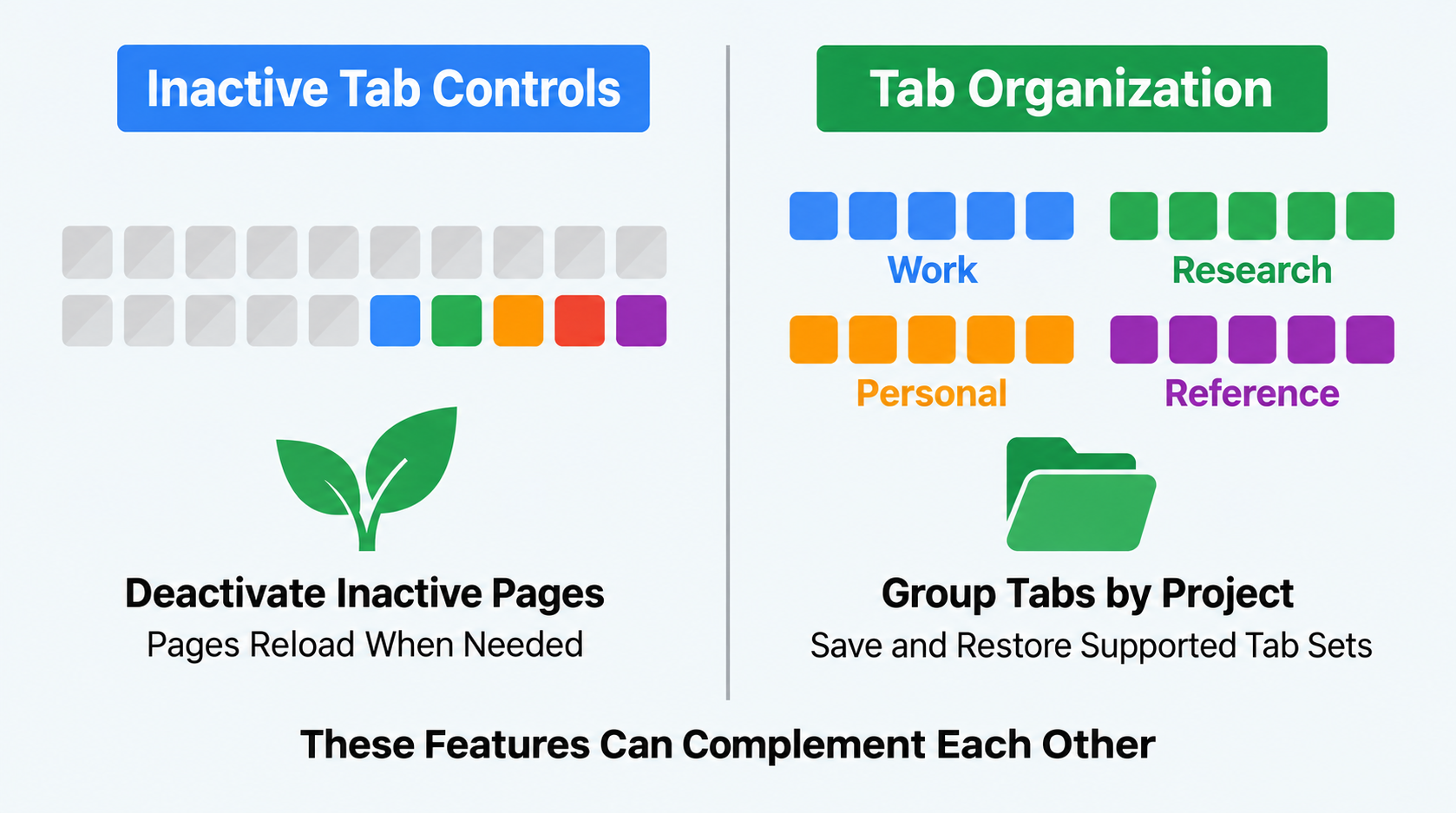
Illustrative example; layout and sample data are conceptual.
When people search for help with too many Chrome Tabs, they often end up comparing tools that solve completely different problems. Tab suspenders and Tab managers sound similar, but they address different symptoms of Tab overload.
Tab suspenders deal with the performance problem. When you have 50+ Tabs open, Chrome can consume gigabytes of RAM because each Tab runs as its own process. A Tab suspender automatically unloads Tabs you have not used recently, freeing up memory. The Tab stays in your Tab bar -- it just is not actively loaded until you click on it.
Tab managers deal with the organization problem. They help you save Tabs for later, find specific Tabs among dozens of open ones, Group Tabs by project, or restore a set of Tabs you had open yesterday. They are not about memory -- they are about keeping your work organized.
One is a performance tool. The other is a productivity tool. You might need one, the other, or both.
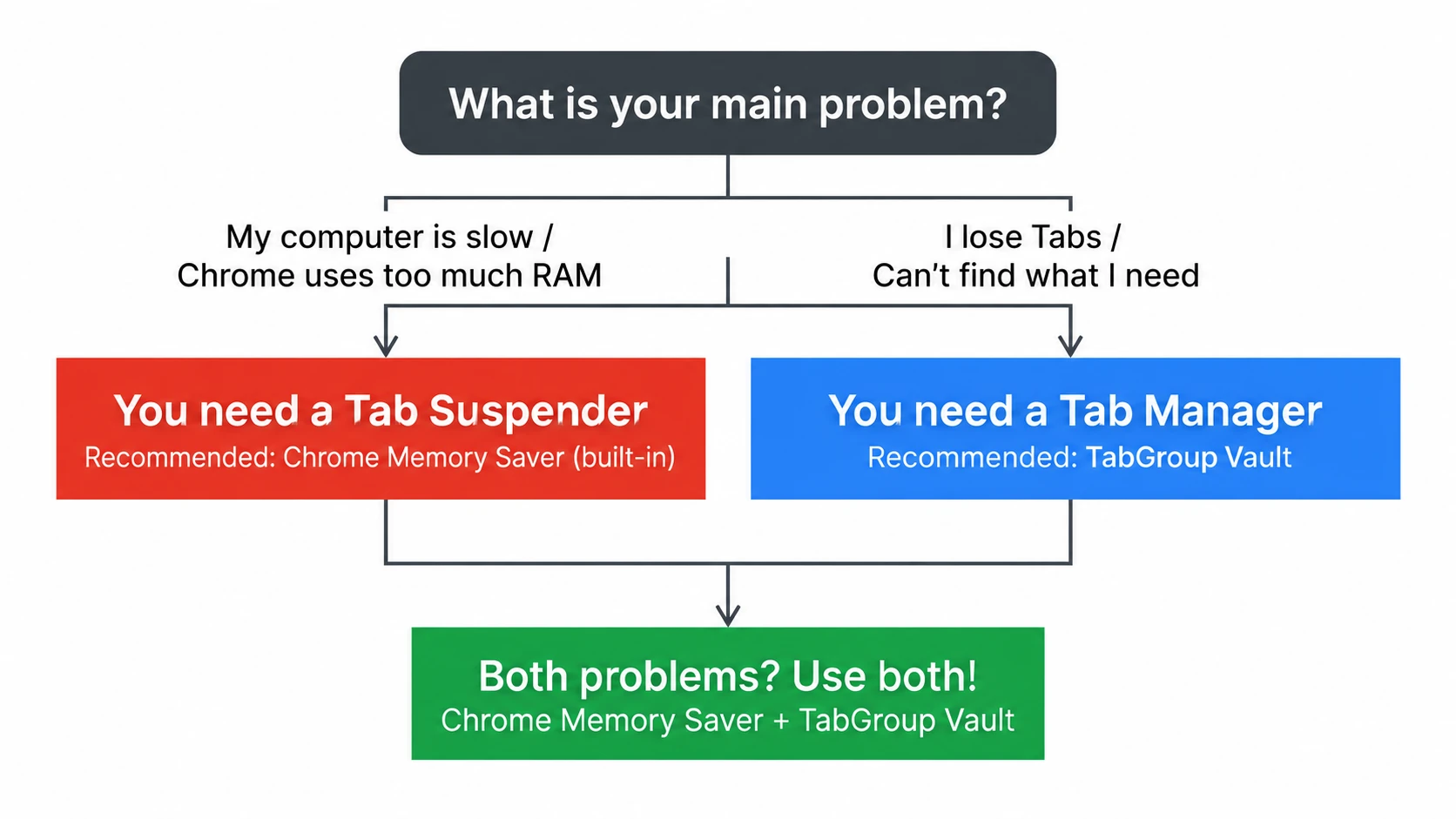
Popular Tab Suspenders
The Tab suspender category has been through some turbulence. The Great Suspender, once the most popular option, was removed from the Chrome Web Store in 2021 due to security concerns after a change in ownership. Since then, the landscape has shifted:
Chrome's Built-In Memory Saver (Recommended)
Chrome now includes a native Memory Saver feature (also called Tab discarding) that automatically suspends inactive Tabs to free up resources. It works well for most users and requires no extension. You can enable it in Chrome Settings under Performance. This has reduced the need for third-party suspender extensions for many users.
The Great Suspender - No Tracking (MV3 Fork)
The original Great Suspender was removed from the Chrome Web Store in 2021 after new ownership injected malware-like tracking code -- do not install it if you find it elsewhere. The community-maintained fork, "The Great Suspender - No Tracking," is rebuilt on Manifest V3 and stripped of all tracking. It provides more control than Chrome's built-in feature, including whitelists, custom suspend timers, suspend-on-startup, and visual indicators. This is now a power-user tool for people who find Chrome's ML-based Memory Saver too aggressive or not configurable enough.
Auto Tab Discard
A lightweight extension that works with Chrome's native Tab discarding API. It offers more granular control over which Tabs get suspended and when, compared to Chrome's built-in setting.
Popular Tab Managers
Tab managers come in several varieties, each emphasizing different aspects of Tab organization:
| Feature | What to Check |
|---|---|
| TabGroup Vault | Save Group backups and whole Sessions. Local data; optional Pro Drive backup and Window-close auto-save. Keep an export outside the Profile. |
| Session Buddy | Session and Window organization with automatic local backups. Native Chrome Group support remains on its roadmap. Cloud collections have a separate rollout and plan. |
| Tab Session Manager | The current developer listing includes Chrome/Firefox Group saving, automatic saves, and optional cloud sync. Chrome Group saving no longer requires a companion extension. |
| OneTab | Save Tabs into lists. Its current documentation also describes encrypted cross-browser sync, folders, notes, and tasks. Test exact Chrome Group metadata restoration separately. |
| Workona | Project spaces with resources, notes, and tasks. Tab management must be enabled; it documents Session backups and cross-device use. Check current plans instead of assuming a fixed monthly price. |
| Toby | Visual link collections and shared Spaces with account sync. Its current plans include Session saving. Collection organization is not evidence of identical Chrome Group metadata restoration. |
| Tab Manager Plus | Free, open source under MPLv2. The current repository documents open-Tab search, Window saving, and limits on open Tabs. Compare restore behavior using your own sample Group. |
Sources Checked October 1, 2026: TabGroup Vault Features · Session Buddy Roadmap · Session Buddy Backups · Session Buddy Cloud Plans · Tab Session Manager · OneTab · Workona Tab Manager · Toby · Tab Manager Plus Source
How to Diagnose Your Problem
The easiest way to figure out what you need is to identify your main symptom:
Symptom: Chrome Is Slow or Your Computer Lags
If your computer slows down when you have many Tabs open, your problem is resource consumption. Each Tab uses memory, and Chrome's combined usage can overwhelm your system.
Solution: Enable Chrome's built-in Memory Saver feature. Go to Settings, then Performance, and turn on Memory Saver. This is the simplest fix and requires no extension. If you need more control, consider a suspender extension like Auto Tab Discard.
Symptom: You Lose Tabs After Crashes or Restarts
If your problem is that Chrome updates, crashes, or restarts wipe out your carefully organized Tab Groups, you have an organization and persistence problem.
Solution: A Tab manager that saves your work. TabGroup Vault is designed specifically for this -- it creates snapshots of your Tab Groups that survive any Chrome disruption and can be restored with one click.
Symptom: You Cannot Find Tabs Among Dozens of Open Ones
If your Tab bar is so crowded that you cannot find anything, you have a navigation problem.
Solution: A real-time Tab manager like Tab Manager Plus that gives you a searchable overview of all open Tabs.
Symptom: All of the Above
If you are dealing with slowness, Tab loss, and navigation chaos, you might benefit from a combination: Chrome's Memory Saver for performance, plus a Tab manager for organization.
| Feature | What to Check |
|---|---|
| Measure Your Workload | RAM and CPU depend on pages, frames, extensions, background activity, and other apps. Tab count alone cannot predict a fixed RAM total, crash threshold, or percentage saving. |
| Memory Saver | Chrome can deactivate inactive pages, then reload them when needed. Settings and exceptions apply. Collapsing or coloring a Group alone does not unload its pages. |
| Processes and Tabs | Tabs can share renderer processes; a page with isolated frames can use several processes. Chrome also has browser, GPU, extension, and utility processes. One Tab does not always equal one process. |
Sources Checked October 1, 2026: Chrome Memory Saver · Chromium Process Model · Chrome Troubleshooting
Why Chrome's Built-In Features Changed the Game
Chrome's Memory Saver feature first appeared in version 108, but the real shift came with Chrome 140 (September 2025), which added ML-based prediction to decide which Tabs to discard. Instead of a simple timeout, Chrome now learns your browsing patterns and keeps the Tabs you are likely to return to while discarding the rest. Chrome 131 also introduced Tab freezing under Energy Saver mode, giving Chrome two native strategies for managing background Tabs.
The result: dedicated Tab suspender extensions have gone from essential to optional for most users. Chrome handles the memory problem natively and, with ML, often makes better decisions than a static timeout-based extension would.
However, Chrome's Tab management features have not kept pace. While Chrome added native Tab Groups and even vertical Tabs (Chrome 146, March 2026), it still lacks reliable save and restore for Tab Groups. Groups can still vanish after crashes, updates, or if you accidentally close a Window. This is the gap that Tab managers like TabGroup Vault fill.
The Modern Stack for Tab Power Users
The most efficient setup in 2026: Chrome's built-in Memory Saver (for performance) + TabGroup Vault (for Tab Group backup and restore). You get memory management handled natively by Chrome, and workspace preservation handled by a dedicated extension. No need for a separate Tab suspender.
Where TabGroup Vault Fits In
TabGroup Vault is not a Tab suspender and does not reduce Chrome's memory usage. It is a Tab Group backup and restore tool. Its role in your browser setup is specifically to solve the problem of Tab Group loss.
Try Chrome recovery and inspect any previously saved Group backups. Restore only data that was actually saved, check the resulting Tabs and Groups, and keep an export outside the Chrome Profile. Recovery time and fidelity depend on available data and the restore operation.
This is complementary to Tab suspension, not a replacement for it. You can (and should) use Chrome's Memory Saver alongside TabGroup Vault for the best of both worlds: efficient memory usage and reliable workspace preservation.
TabGroup Vault Quick Facts
Type: Tab Group backup and restore (not a suspender)
Price: Free (10 snapshots) / $39 one-time lifetime Pro
Backup: Google Drive integration
Works with: Chrome's Memory Saver, Tab Manager Plus, and other extensions
Comparison: Suspender vs Manager Features
| Capability | Tab Suspenders | Tab Managers (like TGV) |
|---|---|---|
| Reduce memory usage | Yes | No |
| Save Tabs for later | No | Yes |
| Restore closed Tabs | No | Yes |
| Preserve Tab Groups | No | Yes |
| Cloud backup | No | Some (TGV uses Google Drive) |
| Improve Chrome speed | Yes | No |
| Organize Tabs | No | Yes |
| Work across Sessions | No | Yes |
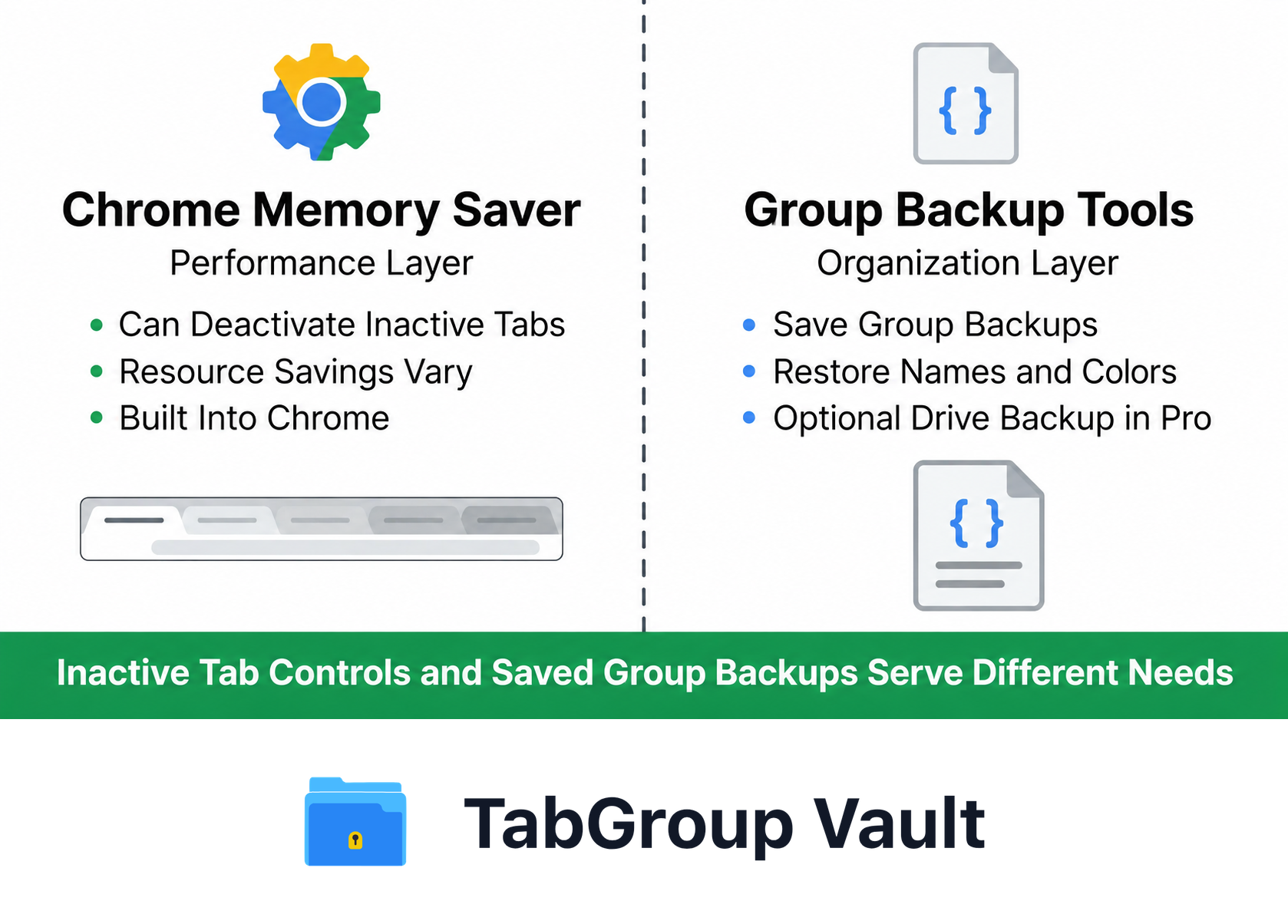
Illustrative example; layout and sample data are conceptual.
The Bottom Line
In 2026, the question is no longer "which extension type do I need?" The answer is more straightforward:
- For memory management: Use Chrome's built-in Memory Saver. It is ML-powered, on by default, and handles the job for the vast majority of users. No extension needed.
- For Tab organization, saving, and restoring: Use a Tab manager extension. Chrome still has no built-in way to reliably save and restore Tab Groups across Sessions, crashes, or updates. This is where tools like TabGroup Vault come in.
- For fine-grained suspension control: Only if Chrome's Memory Saver is too aggressive or not configurable enough for your workflow, consider a suspender extension like The Great Suspender - No Tracking or Auto Tab Discard.
If you rely on Chrome Tab Groups and want them to survive no matter what Chrome throws at you, TabGroup Vault provides that specific safety net at a one-time cost of $39 -- or free for up to 10 snapshots to test the workflow.