Tab Manager Plus Open Source Answer
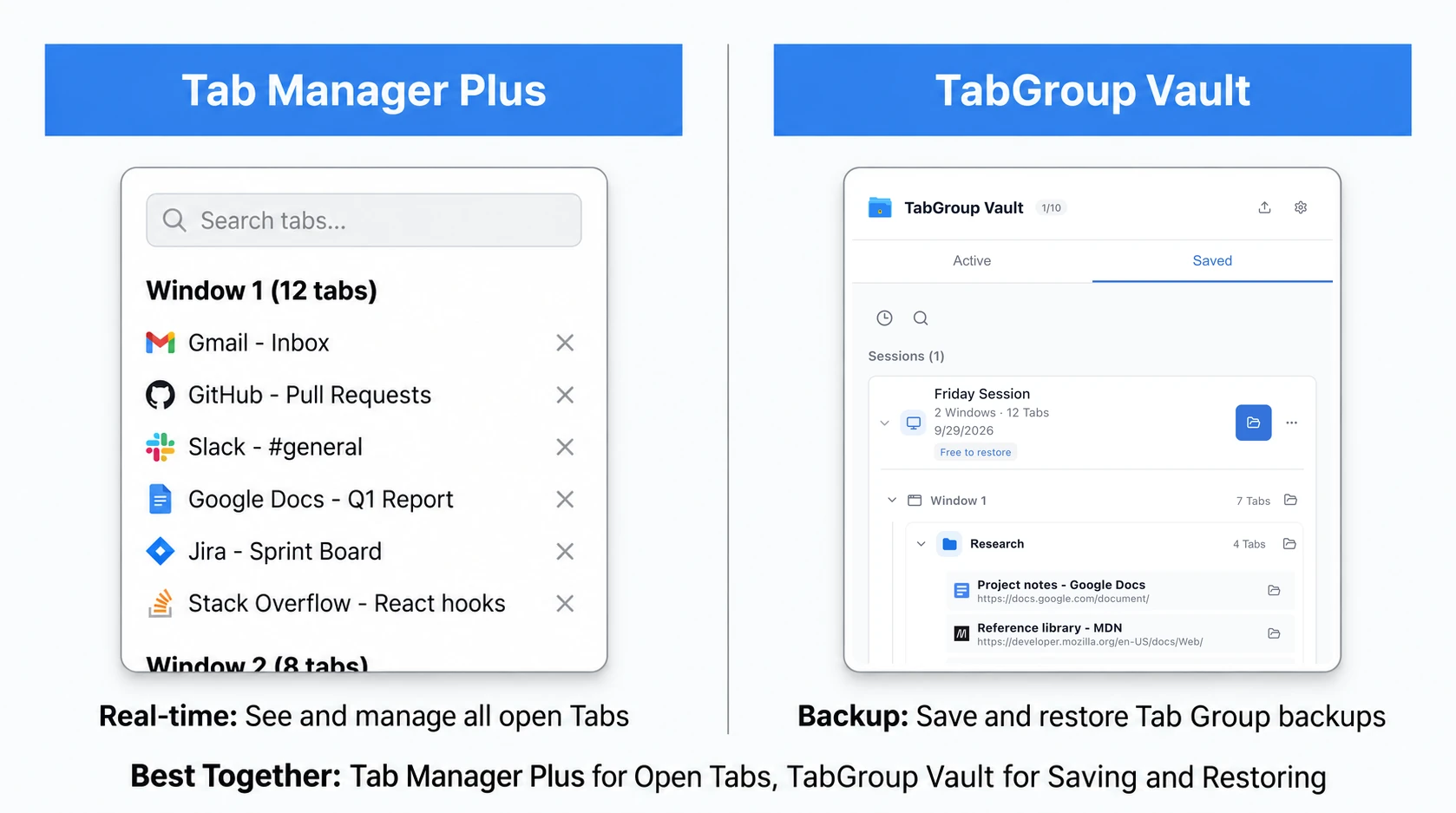
Yes. Tab Manager Plus is open source. Its Chrome Web Store listing describes it as open source, and its public GitHub repository is stefanXO/Tab-Manager-Plus. The GitHub README/license area lists MPLv2.
That matters if you want to inspect the code, check permissions, or find the GitHub project before installing another Chrome extension. For Tab Manager Plus, the answer is plain: the repo is public, the project is free, and the current extension code is available on GitHub.
The comparison with TabGroup Vault comes down to the job. Tab Manager Plus is an open-source live Tab and Window manager. TabGroup Vault is a proprietary Chrome extension for saving and restoring Chrome Tab Group workspaces.
Tab Manager Plus GitHub and License
Checked May 17, 2026: GitHub shows the stefanXO/Tab-Manager-Plus repo with 479 stars, 119 forks, 24 releases, and latest release 6.0.0 dated Oct 1, 2024. The Chrome Web Store shows version 6.0.0, updated Oct 2, 2024, about 200,000 users, a 4.7 rating, and 1.1K ratings.
The current GitHub manifest.json is Manifest V3 and lists permissions for tabs, contextMenus, storage, and favicon, with optional system.display. If you are checking Chrome extension permissions, start there.
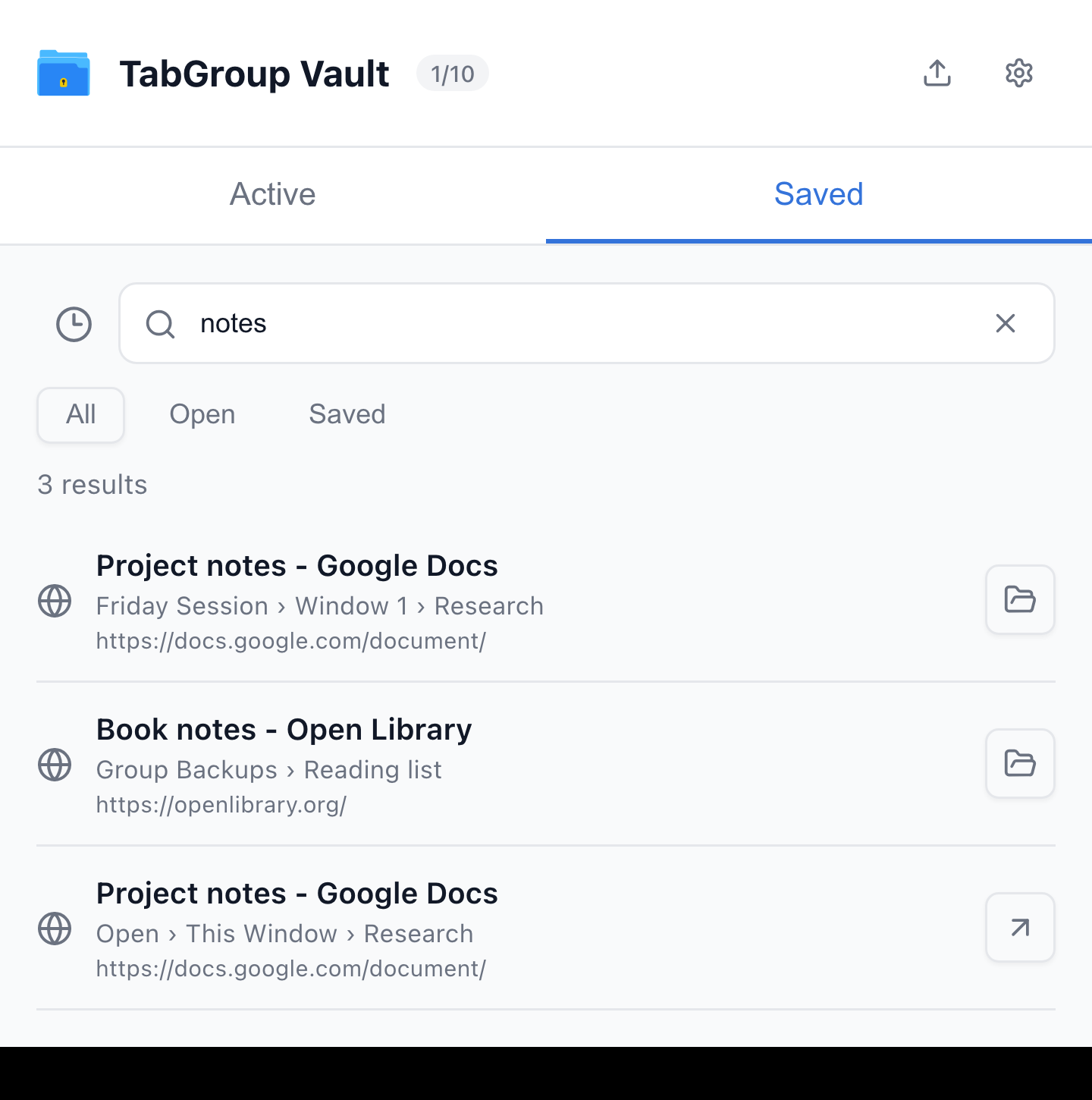
Current TabGroup Vault Search Results view with deterministic sample data. This capture demonstrates the interface, not a live cloud or crash-recovery test.
TabGroup Vault vs Tab Manager Plus
| Feature | What to Check |
|---|---|
| Tab Manager Plus | Free, open source under MPLv2. The current repository documents open-Tab search, Window saving, and limits on open Tabs. Compare restore behavior using your own sample Group. |
| OneTab | Save Tabs into lists. Its current documentation also describes encrypted cross-browser sync, folders, notes, and tasks. Test exact Chrome Group metadata restoration separately. |
| TabGroup Vault | Save Group backups and whole Sessions. Local data; optional Pro Drive backup and Window-close auto-save. Keep an export outside the Profile. |
Sources Checked October 1, 2026: Tab Manager Plus Source · OneTab · TabGroup Vault Features
Where Tab Manager Plus Wins
Real-Time Tab Overview
Tab Manager Plus gives you a bird's-eye view of every open Tab across all Chrome Windows. With 50 or 100 Tabs open, Chrome's built-in Tab bar turns into a strip of tiny slivers. Tab Manager Plus replaces that mess with a searchable list or grid that shows full titles and favicons.
Tab Search
Start typing in Tab Manager Plus, and it filters your open Tabs in real time. If you know you have a GitHub Tab open somewhere, searching "github" brings it to the surface. That beats scanning Chrome's Tab bar or cycling through Tabs one by one.
Batch Operations
Tab Manager Plus lets you select multiple Tabs and close them, move them to a new Window, or pin them all at once. This is useful for periodic Tab cleanup when you want to close a dozen Tabs from a research Session that is finished.
Free and Open Source
Tab Manager Plus is free and open source, with code available in its public GitHub repository. If you care about transparency, extension permissions, or community-reviewable tools, this is its strongest advantage over proprietary Tab managers.
Saved Windows and Sessions
Tab Manager Plus does include saved-Window/Session features. Its changelog notes saved Windows added as beta in 5.0.4, backup and restore for saved Windows in 5.0.8, and opening single Tabs from saved Sessions in 6.0.0. It should not be described as a tool that only works with currently open Tabs.
When Tab Manager Plus Is the Right Choice
If your main problem is navigating the Tabs you already have open, Tab Manager Plus fits well: find specific Tabs, close Groups of Tabs, and see all your Windows in one place.
Where TabGroup Vault Wins
Tab Group Structure Preservation
TabGroup Vault captures which Tabs are open and how they are organized: Group names, colors, and which Tabs belong to each Group. When you restore a snapshot, the workspace structure comes back. Tab Manager Plus has saved-Window/Session features, but its official listing and README do not confirm that it preserves Chrome Tab Group names, colors, and structure as a dedicated snapshot workflow.
Cloud Backup and Recovery
TabGroup Vault's Google Drive integration gives you a separate backup path for saved Tab Group snapshots. Chrome also supports saved and synced Tab Groups when browsing history and Tabs sync with a Google Account, and closed Groups can be reopened from the bookmarks bar or menu. A dedicated snapshot tool is still useful when you want explicit workspace backups outside your current browser state.
Snapshot History
TabGroup Vault keeps a timeline of your snapshots. You can go back to how your workspace looked yesterday, last week, or last month. That helps when a project shifts and you need an earlier set of resources.
Can You Use Both?
Yes. The tools can fit the same browser setup because they focus on different jobs. A combined workflow might look like this:
- Start of day: Restore yesterday's workspace with TabGroup Vault. Your Tab Groups come back with names, colors, and Tabs in place.
- During the day: Use Tab Manager Plus to search through open Tabs, close finished ones, and move between projects faster.
- End of day: Take a TabGroup Vault snapshot of your current layout before closing Chrome.
Tab Manager Plus handles live Tab control. TabGroup Vault handles explicit Chrome Tab Group snapshots.
TabGroup Vault Quick Facts
Price: Free (10 snapshots) / $39 one-time lifetime Pro
Purpose: Save and restore Chrome Tab Group layouts
Backup: Google Drive integration for cloud safety
Profiles: Up to 5 Chrome profiles supported
Who Should Choose What
Choose Tab Manager Plus if:
- Your main problem is navigating too many open Tabs
- You need to search, filter, and manage Tabs in real time
- You want a free, open-source Chrome extension with a public GitHub repo
- You want saved Windows or Sessions, but do not need confirmed Chrome Tab Group structure restore
Choose TabGroup Vault if:
- You need explicit Chrome Tab Group workspace snapshots
- You want to restore Group names, colors, Tab positions, and Group membership later
- You want cloud backup for your Tab Groups via Google Drive
- You use multiple Chrome profiles and need cross-profile support
Choose both if:
- You keep many Tabs open and want to save your workspace for later
- You want real-time Tab navigation plus long-term Tab Group backup
- You prefer two focused tools over one broader tool that only partly matches your workflow
Related Chrome Tab Manager Guides
For a wider shortlist, start with our best Tab manager for Chrome guide. For Session storage versus Tab Group backup, see Tab Session Manager or Tab suspender vs Tab manager.
The Verdict
If your question is simply whether Tab Manager Plus is open source, the answer is yes: the Chrome Web Store says it is open source, and the public GitHub repo is stefanXO/Tab-Manager-Plus.
If you are choosing between Tab Manager Plus and TabGroup Vault, choose by workflow. Use Tab Manager Plus for live Tab and Window control. Use TabGroup Vault when you want a dedicated way to snapshot and restore Chrome Tab Group workspaces.