What a Tab Session Manager Actually Does
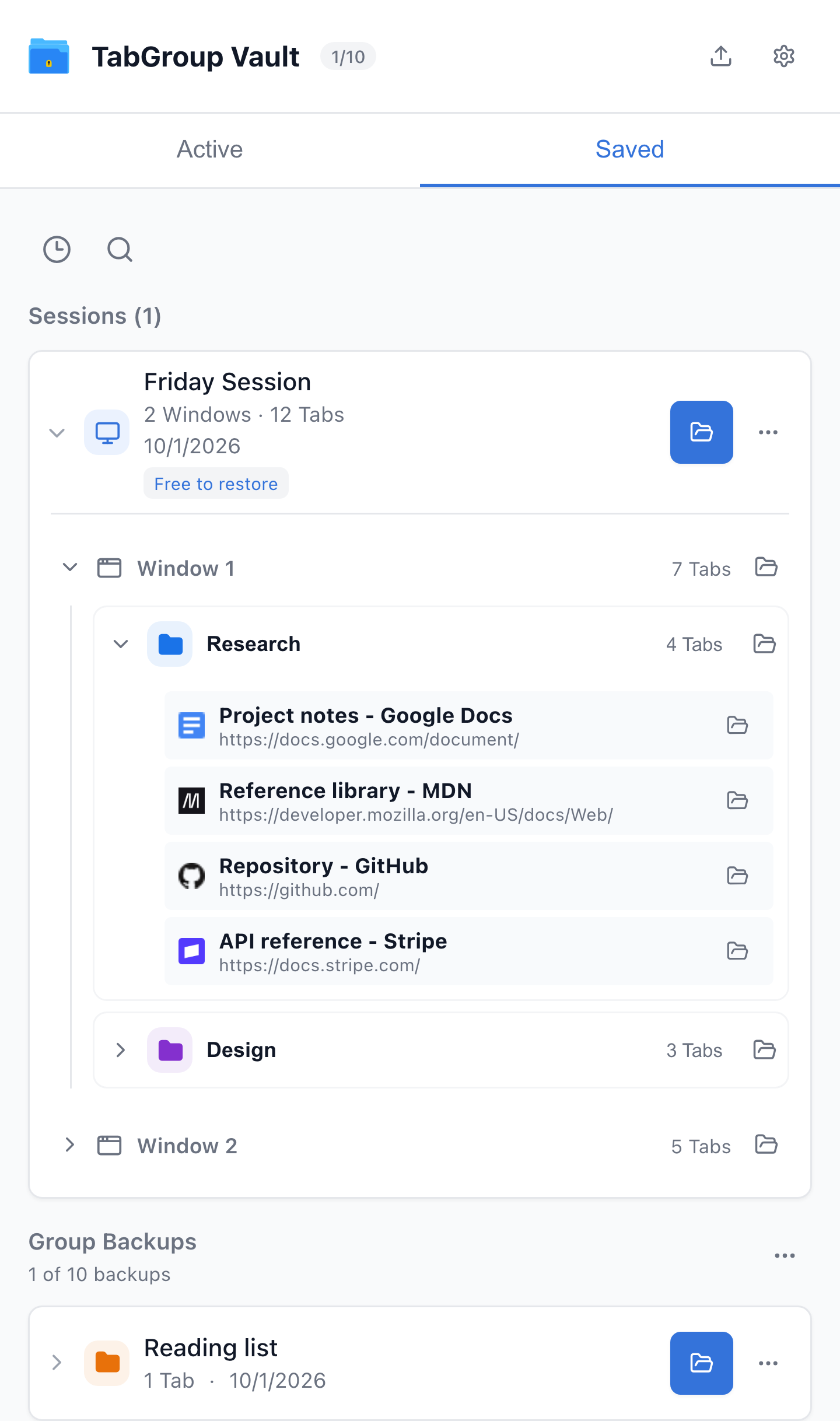
Current TabGroup Vault Saved Session view with deterministic sample data. This capture demonstrates the interface, not a live cloud or crash-recovery test.
A Tab Session manager does one core job: it records the state of your Chrome Tabs and Windows so you can return to that state later. The "state" usually means:
- Every URL open in every Window.
- Window boundaries (which Tabs were in which Window).
- Tab order, in most tools.
- Pinned Tabs, in some tools.
- Tab Group names and colors, in Tab-Group-aware tools only.
A good Session manager protects you from the three main failure modes:
- You accidentally close everything.
- Chrome crashes or updates without offering to restore.
- You reset your profile or move to a new machine and need the old workspace back.
The Main Session Manager Options in Chrome
Session Buddy
Session Buddy organizes Windows and Tabs into collections, with search and export options. Its 4.1 release added automatic local backups of collections and events. Native Chrome Tab Group support remains on its August 2026 roadmap; do not confuse collection colors with native Group restoration.
Tab Session Manager (by sienori)
Open source, with configurable interval and Window-close saving, import/export, and optional cloud sync. The current 7.4 listing documents Chrome, Firefox, and Edge support. Since 7.2, Chrome Group saving no longer requires a companion extension; that release also added Firefox Group saving.
TabGroup Vault
TabGroup Vault saves individual Group backups and whole Sessions containing Windows, Groups, and loose Tabs. Group restore rebuilds saved names, colors, and member Tabs; pinned Tabs stay outside Groups because Chrome does not allow pinned Group members. Pro adds optional Google Drive backup, up to five Profiles, and opt-in Group auto-save when a Window closes ($39 one-time). It does not promise recovery of unsaved work after every crash. No Firefox version.
Workona and Full Workspace Tools
Workona offers Spaces for project resources and collaboration, plus a Tab manager that can be enabled for those Spaces. Its Tab manager documentation describes recent and older Session backups. Consider it when you want a broader project workspace.
Comparison Table
| Feature | What to Check |
|---|---|
| TabGroup Vault | Save Group backups and whole Sessions. Local data; optional Pro Drive backup and Window-close auto-save. Keep an export outside the Profile. |
| Session Buddy | Session and Window organization with automatic local backups. Native Chrome Group support remains on its roadmap. Cloud collections have a separate rollout and plan. |
| Tab Session Manager | The current developer listing includes Chrome/Firefox Group saving, automatic saves, and optional cloud sync. Chrome Group saving no longer requires a companion extension. |
| OneTab | Save Tabs into lists. Its current documentation also describes encrypted cross-browser sync, folders, notes, and tasks. Test exact Chrome Group metadata restoration separately. |
| Workona | Project spaces with resources, notes, and tasks. Tab management must be enabled; it documents Session backups and cross-device use. Check current plans instead of assuming a fixed monthly price. |
| Toby | Visual link collections and shared Spaces with account sync. Its current plans include Session saving. Collection organization is not evidence of identical Chrome Group metadata restoration. |
| Tab Manager Plus | Free, open source under MPLv2. The current repository documents open-Tab search, Window saving, and limits on open Tabs. Compare restore behavior using your own sample Group. |
Sources Checked October 1, 2026: TabGroup Vault Features · Session Buddy Roadmap · Session Buddy Backups · Session Buddy Cloud Plans · Tab Session Manager · OneTab · Workona Tab Manager · Toby · Tab Manager Plus Source
For deeper one-on-one comparisons, see TabGroup Vault vs Session Buddy and the Chrome Session manager extensions roundup.
If You Use Tab Groups, What Changes
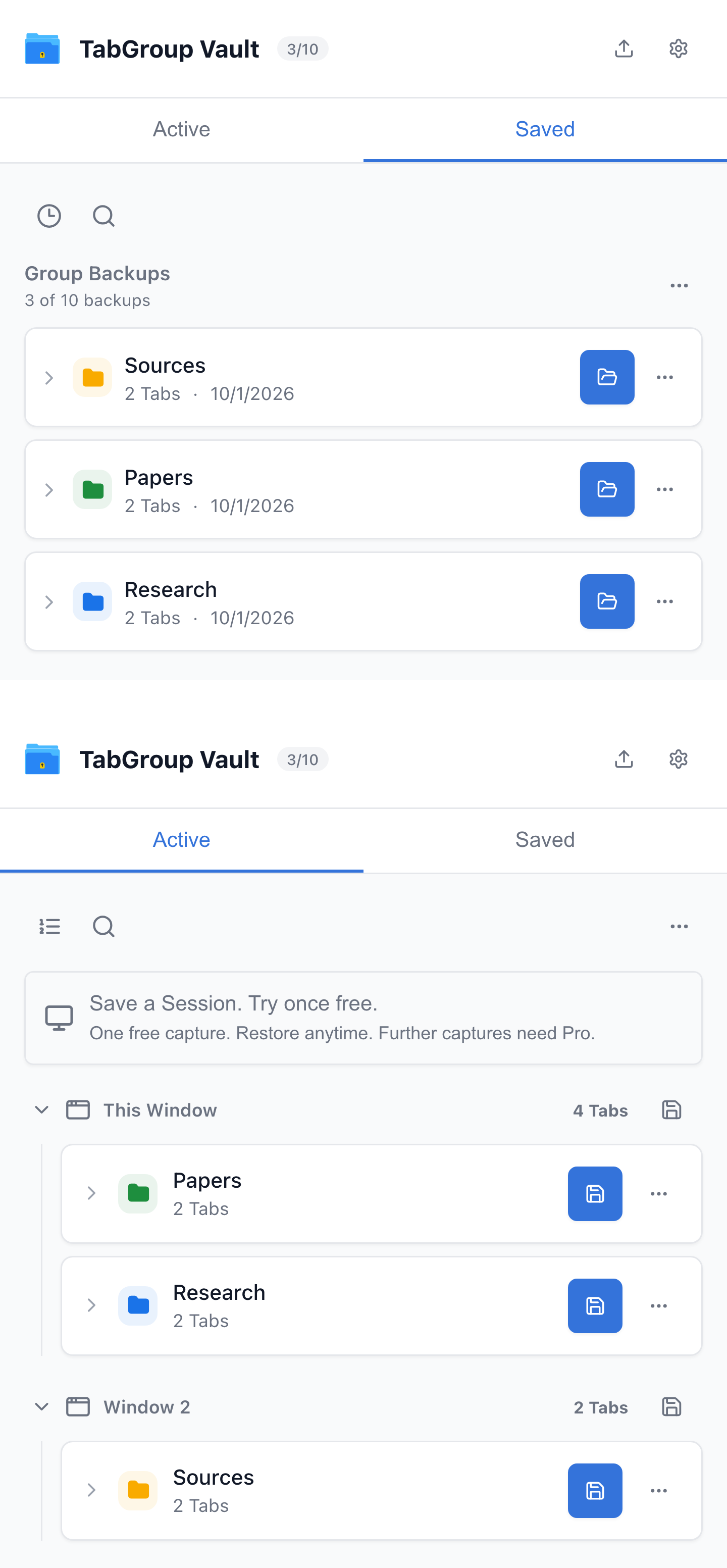
Current TabGroup Vault UI with sample Chrome data. The restore pair shows the same Research Group before and after the production restore action.
If your workspace is just Tabs and Windows, any of the three tools above will serve you well. If your workspace is structured into Tab Groups, the choice narrows.
A URL-only export does not carry native Group metadata. A Group-aware backup can retain names, colors, and membership, but the result depends on the tool, format, and restore settings. Tab Session Manager also supports Groups; Group preservation is not exclusive to TabGroup Vault.
The example above shows TabGroup Vault restoring a previously saved Research Group through its production restore code against deterministic browser fixtures. It demonstrates that saved example, not a competitor integration test or guaranteed recovery of unsaved Tabs.
Sanity check
Try Chrome recovery and inspect any previously saved Group backups. Restore only data that was actually saved, check the resulting Tabs and Groups, and keep an export outside the Chrome Profile. Recovery time and fidelity depend on available data and the restore operation.
Which One Fits Your Workflow
Researchers and students who lean on Tab Groups per topic and want snapshots that last weeks: TabGroup Vault. The Group structure is what you are protecting.
Developers with one Group per client or feature, multiple Chrome profiles, split views: also TabGroup Vault: the multi-profile support and Group-aware snapshots match that setup well.
Recruiters, sales reps, or anyone with flat Tab lists who needs periodic auto-save and JSON export: Tab Session Manager. Session Buddy if you prefer a more polished UI over open-source flexibility.
QA or support engineers who reopen specific repro sets frequently: Session Buddy's two-pane Session library makes that fast. TabGroup Vault if those repro sets live inside Tab Groups.
Of these three products, Tab Session Manager offers Firefox support. TabGroup Vault is Chromium-only, while Session Buddy lists Firefox support on its roadmap.
The Short Answer
For native Group backups and whole Sessions, try TabGroup Vault or Tab Session Manager and test a restore. For collections and search, consider Session Buddy. If automatic saving is central to your workflow, compare the actual trigger and retention behavior rather than assuming all auto-save features work alike. TabGroup Vault's free tier lets you try 10 saved entries.
TabGroup Vault quick facts
Free tier: 10 snapshots, full Tab Group support.
Pro: $39 one-time, unlimited snapshots, Google Drive backup, up to 5 Chrome profiles.
Privacy: local-first storage, Drive sync is optional.
Install: Chrome Web Store.