Two tools, two problems
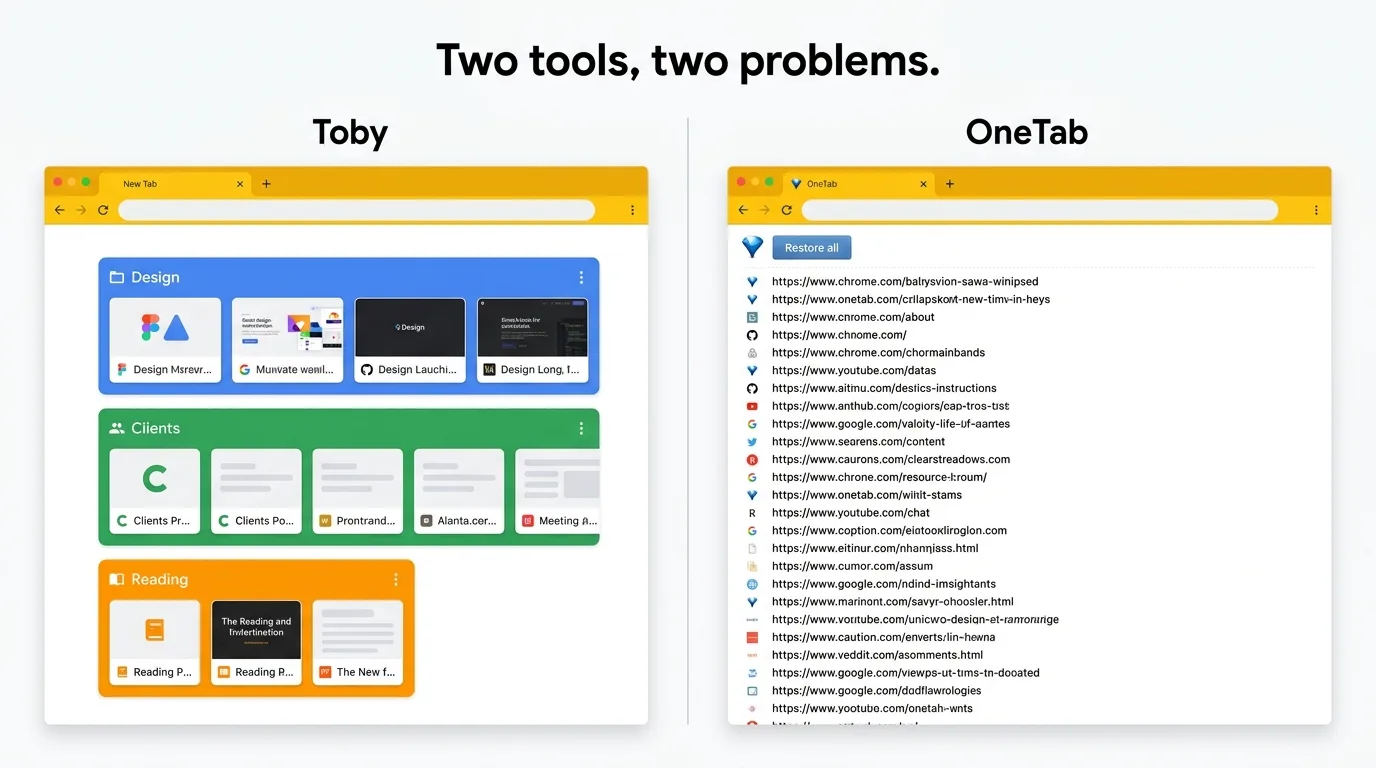
Toby and OneTab both get recommended whenever someone complains about Tab overload, but they are solving different problems. Picking the wrong one leads to the usual story: install, try for a week, uninstall, complain again next month.
Before the feature breakdown, be clear about what you actually want:
- Do you want to curate the links you care about in an organized dashboard? Toby.
- Do you want to dump everything open right now into a list so you can breathe? OneTab.
- Do you want to preserve the Tab Groups you already built inside Chrome so you can restore them later? Neither. That is a separate category entirely.
Comparison at a glance
| Feature | What to Check |
|---|---|
| Toby | Visual link collections and shared Spaces with account sync. Its current plans include Session saving. Collection organization is not evidence of identical Chrome Group metadata restoration. |
| OneTab | Save Tabs into lists. Its current documentation also describes encrypted cross-browser sync, folders, notes, and tasks. Test exact Chrome Group metadata restoration separately. |
| TabGroup Vault | Save Group backups and whole Sessions. Local data; optional Pro Drive backup and Window-close auto-save. Keep an export outside the Profile. |
Sources Checked October 1, 2026: Toby · Toby Plans · OneTab · TabGroup Vault Features
Where Toby is actually good
Toby has a different core idea than most Tab tools. You build collections of links rather than snapshots of your current Window. Drag Tabs into a collection, name it, color it, and that collection lives on your new Tab page. A frontend engineer might keep their design system docs and Figma boards there. A recruiter might keep candidate profiles. The point is that it is a library you actively curate, not a backup of whatever happened to be open.
That distinction matters. Toby rewards people who like organizing. If you are the type to maintain a tidy bookmark bar, Toby will feel natural. If you just want the chaos to stop, it will feel like homework.
When Toby is the right choice
Pick Toby if you want a visual dashboard of links you return to repeatedly and you are fine with it replacing your new Tab page. It rewards users who spend time organizing and frustrates users who just want a fire extinguisher.
Where OneTab is actually good
OneTab does one thing. Click the icon, and every Tab in your current Window collapses into a plain list on a single page. Memory frees up immediately because the Tabs are closed. The list stays there until you want something back.
The appeal is the zero-friction model: no account, no sign-up, no new Tab page takeover, nothing to configure. Install it and it works in 30 seconds. It is completely free with no paid tier or nag screens. When Chrome is crawling under 80 Tabs and you just need it to stop, one click solves that specific problem.
What it is not: a workspace tool, a backup, or anything that knows about structure. It is a pressure release valve. A good one, but only that.
Where each tool falls short
Toby's rough edges
The new Tab page takeover is the biggest friction point. If you already use Google Discover, another new Tab extension, or just prefer Chrome's default, Toby fights with all of them. There is also no integration with Chrome's native Tab Groups: if you have spent time color-coding Groups, Toby cannot read them. You start from scratch inside Toby's own system. Sync requires an account, which is fine for most people and a non-starter for anyone privacy-sensitive. Team sharing is behind a paid plan.
OneTab's rough edges
The flattening is the whole tradeoff. Color-coded Groups vanish. Pinned Tabs vanish. Whatever structure you had in your Window disappears the moment you click. Your list also lives entirely in local browser storage: no cloud backup, no export that survives a Chrome reinstall. And "Restore all" gives you back a wall of loose Tabs, not the organized Window you started with. There is no version history either, so you cannot go back to what you had last Tuesday.
Neither tool saves Chrome Tab Groups
This is the part that catches people out. You spend time building a color-coded workspace inside Chrome: "Client A", "Deploy Pipeline", "Reading": then install Toby or OneTab hoping to preserve it. Neither does. Toby replaces your Groups with its own collections system. OneTab discards the structure entirely.
If Chrome Tab Groups are how you actually organize your work, you need a tool from a different category: Session managers and Tab-Group-aware snapshot tools.
Where TabGroup Vault fits
TabGroup Vault is built around Chrome's native Tab Groups. It captures the full structure (Group names, colors, Tab order, and pinned Tabs) into a snapshot you can restore at any time. Use it to preserve work-in-progress layouts, not as a curated dashboard or compression tool. Free tier covers 10 snapshots; Pro is $39 one-time for unlimited snapshots, Google Drive backup, and multi-profile support.
Which one to pick
Pick Toby if you think of Tabs as a reference library you visit repeatedly, want a visual dashboard, and are happy to hand over your new Tab page. It is also the better choice if you need to share collections with a team.
Pick OneTab if Chrome is struggling right now and you need memory back fast, you want zero setup, and a plain list of URLs is enough. It works best for people who do not lean on Chrome's Tab Groups.
Skip both if you actively use Chrome Tab Groups and want them saved as structured snapshots, or you need cloud backup tied to a saved-Groups model. In that case, TabGroup Vault or a Session manager like Session Buddy is the better fit.
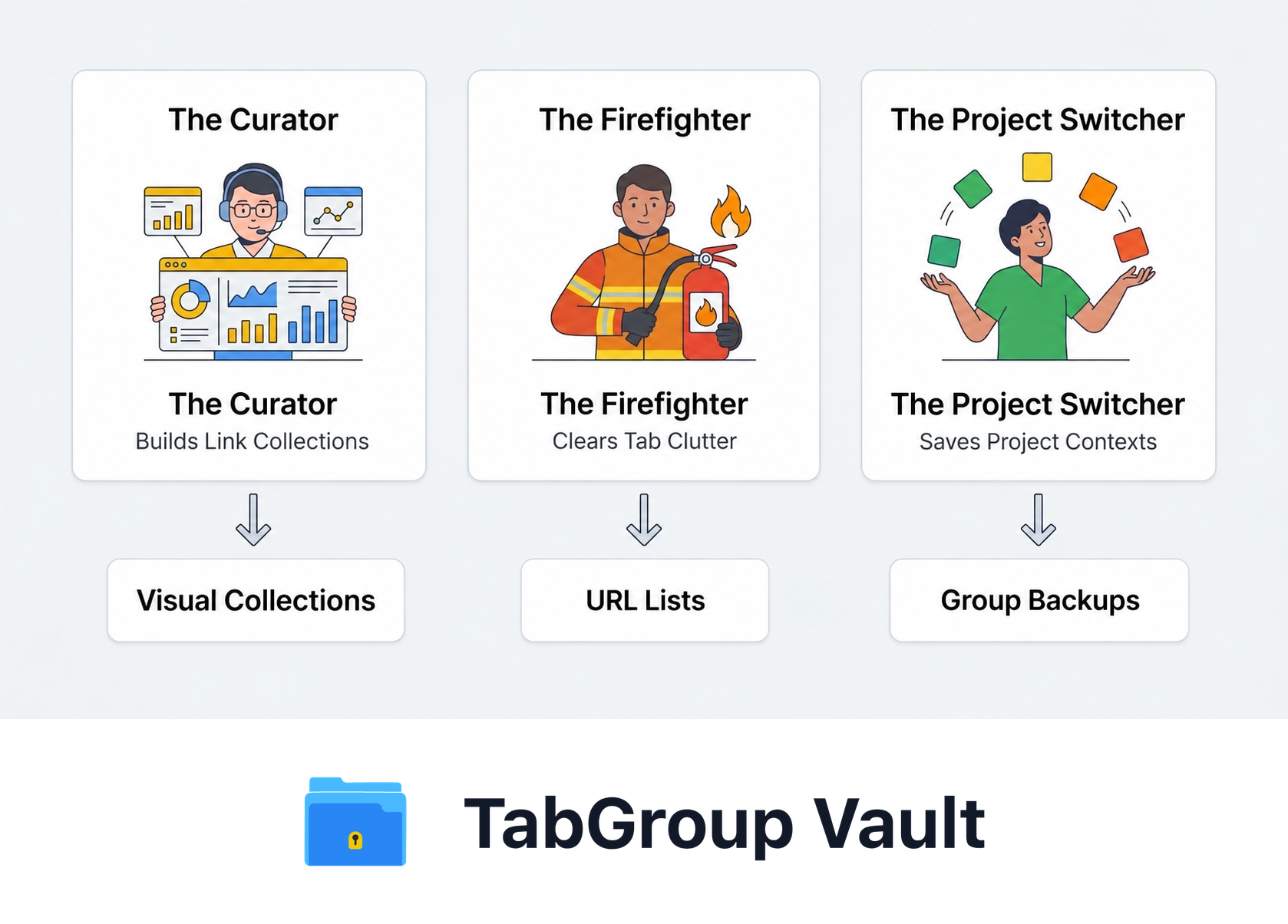
Illustrative example; layout and sample data are conceptual.
Can you use more than one?
Yes. Some people keep Toby for long-lived reference links and OneTab as an emergency release valve, with a snapshot tool handling workspaces they actually want back intact. The three jobs do not overlap much in practice, so the extensions coexist without conflict.
The bottom line
Ask yourself what you want your Tabs to look like tomorrow morning. A curated board of your reference links? Toby. A fresh start with an archive you can dig into if needed? OneTab. Your exact workspace from Monday, Groups and all? Neither of these tools: that one needs a different approach.