Short Answer: Toby, OneTab, or TabGroup Vault?
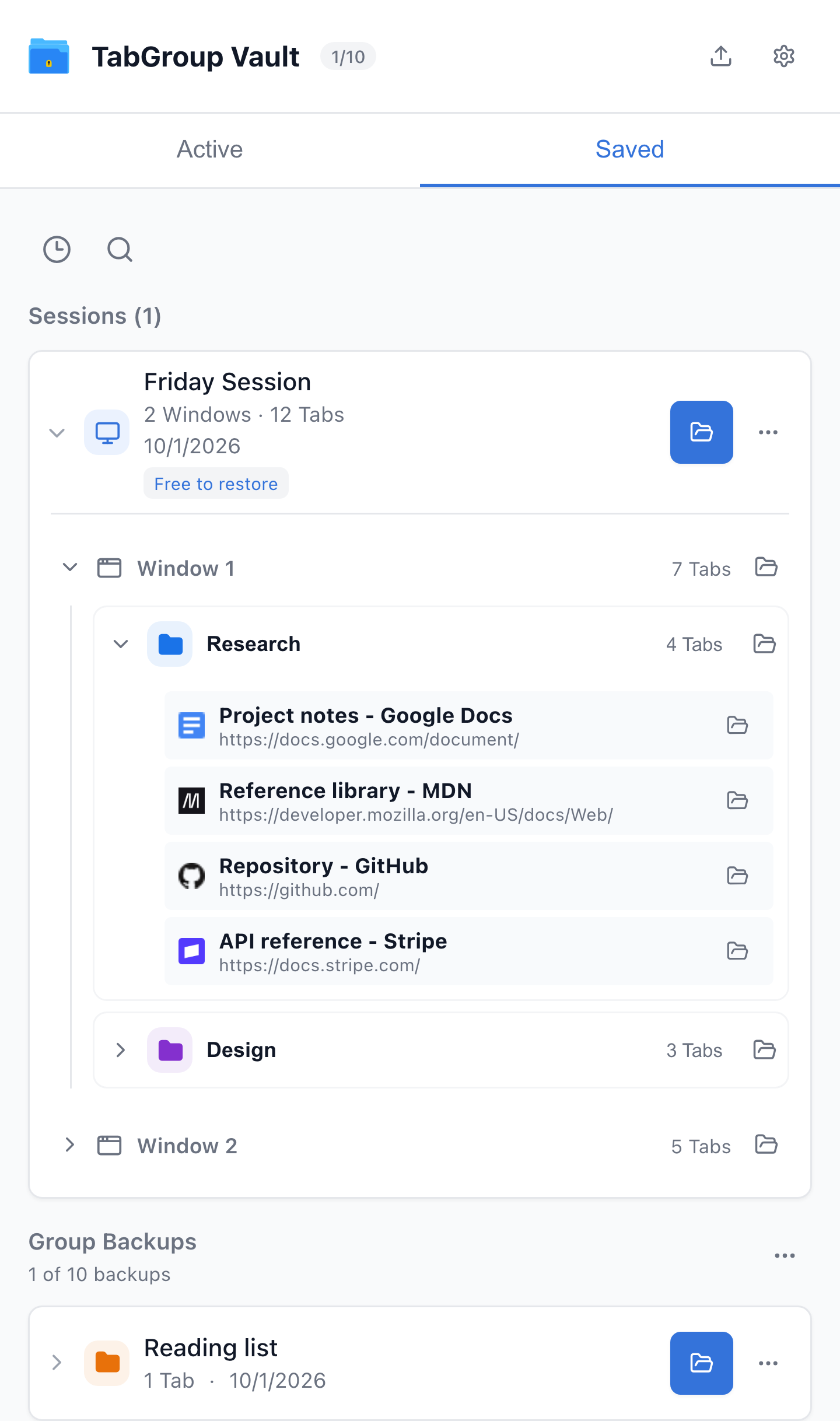
Current TabGroup Vault Saved Session view with deterministic sample data. This capture demonstrates the interface, not a live cloud or crash-recovery test.
| Feature | What to Check |
|---|---|
| Toby | Visual link collections and shared Spaces with account sync. Its current plans include Session saving. Collection organization is not evidence of identical Chrome Group metadata restoration. |
| OneTab | Save Tabs into lists. Its current documentation also describes encrypted cross-browser sync, folders, notes, and tasks. Test exact Chrome Group metadata restoration separately. |
| TabGroup Vault | Save Group backups and whole Sessions. Local data; optional Pro Drive backup and Window-close auto-save. Keep an export outside the Profile. |
Sources Checked October 1, 2026: Toby · Toby Plans · OneTab · TabGroup Vault Features
If you are comparing Toby vs OneTab, start with the interface. Toby is a visual workspace and new-Tab Tab manager for saved Tabs arranged into collections and spaces. OneTab is a lightweight list-based saver that collapses open Tabs into a simple restore list.
TabGroup Vault fits a different need: it saves and restores Chrome's native Tab Groups. If your Tabs already live in named, color-coded Chrome Groups, TabGroup Vault is a cleaner fit than rebuilding that structure inside Toby or flattening it into a OneTab list.
The practical split is simple: Toby for a visual workspace, OneTab for quick Tab reduction, and TabGroup Vault for Chrome Tab Group snapshots, export, and backup.
Current TabGroup Vault Saved Session view with deterministic sample data. This capture demonstrates the interface, not a live cloud or crash-recovery test.
Toby vs OneTab vs TabGroup Vault Comparison
| Feature | What to Check |
|---|---|
| Toby | Visual link collections and shared Spaces with account sync. Its current plans include Session saving. Collection organization is not evidence of identical Chrome Group metadata restoration. |
| OneTab | Save Tabs into lists. Its current documentation also describes encrypted cross-browser sync, folders, notes, and tasks. Test exact Chrome Group metadata restoration separately. |
| TabGroup Vault | Save Group backups and whole Sessions. Local data; optional Pro Drive backup and Window-close auto-save. Keep an export outside the Profile. |
Sources Checked October 1, 2026: Toby · Toby Plans · OneTab · TabGroup Vault Features
Where Toby Wins
Visual Workspace Organization
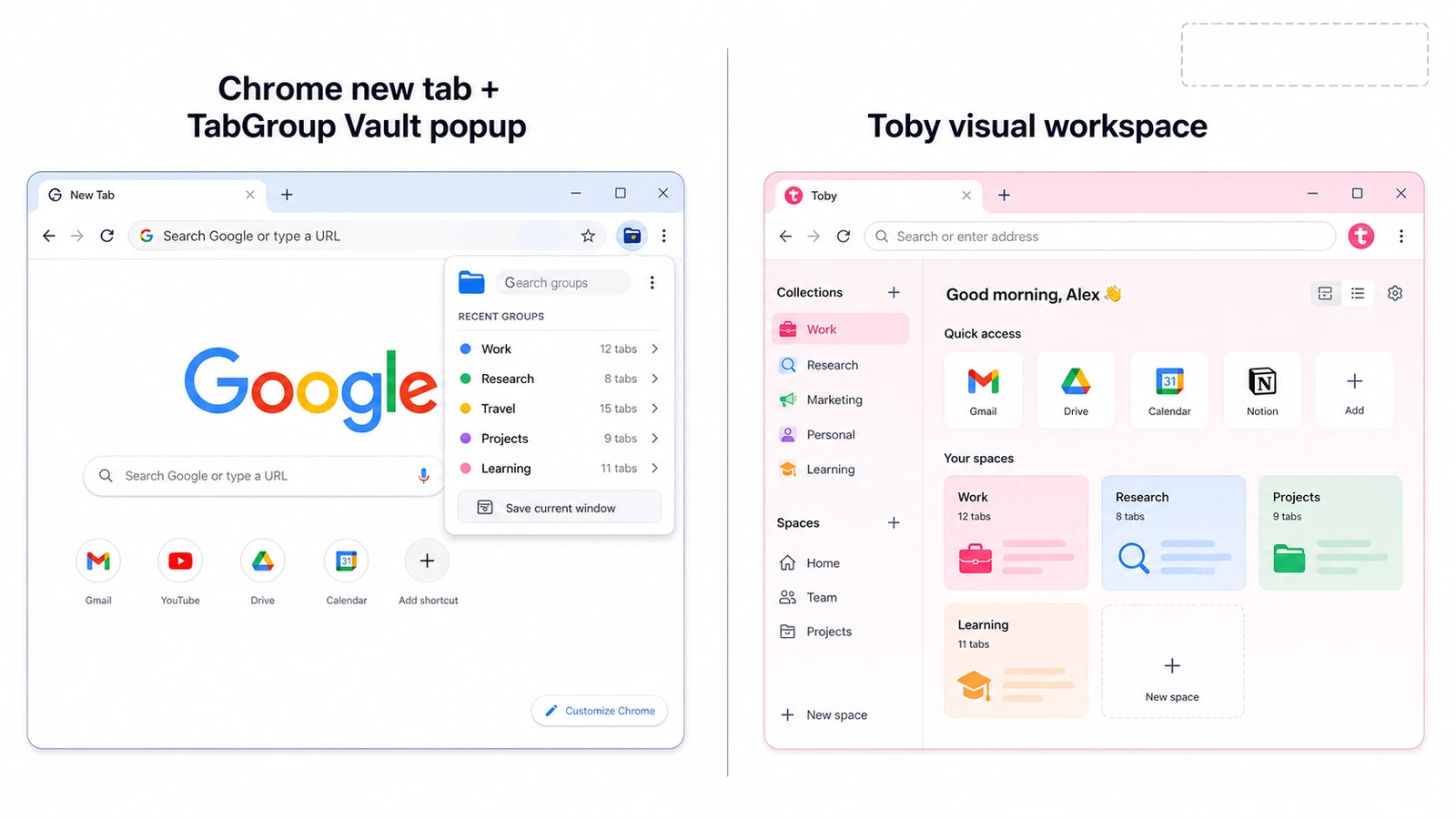
Toby's strongest move is its visual, always-present workspace. It replaces the new Tab page with a saved-Tab manager built around collections and spaces. If you think by project, client, topic, or research area, Toby gives those saved Tabs a visible home.
Toby also goes beyond a basic dashboard. Its Chrome Web Store listing describes Session save and restore, instant search, Toby Links, Toby Next, notes, themes, and Toby AI. That makes it better suited to people who want a workspace layer around browsing instead of a plain backup button.
Always Visible
Because Toby lives on the new Tab page, your saved collections are one new Tab away. There is no separate popup to remember. For some people, that visibility is the whole point.
Collaboration and Workspace Features
Toby is also stronger when saved Tabs are part of a shared workflow. Its paid plan is built around a broader productivity workspace, while TabGroup Vault focuses on individual Chrome Tab Group backup and restore.
When Toby Is the Right Choice
Pick Toby if you want a visual Tab workspace, are comfortable replacing your new Tab page, and prefer collections and spaces to Chrome's native Tab Groups.
Where OneTab Wins
OneTab is the plainest option in this comparison. It converts open Tabs into a list, then lets you restore Tabs one by one or all at once. It also supports URL export/import, does not require signup, and positions itself around reducing memory use by up to 95%.
That makes OneTab useful when your immediate goal is to clear a crowded Tab strip quickly. It is less ideal if you want a visual workspace like Toby or a Chrome Tab Group snapshot history like TabGroup Vault.
For a deeper head-to-head comparison, see Toby vs OneTab.
Where TabGroup Vault Wins
Native Chrome Tab Group Snapshots
TabGroup Vault works directly with Chrome's built-in Tab Groups. If you already organize Tabs into named, color-coded Groups, TabGroup Vault preserves that structure when you save and restore. Toby uses its own collection system, and OneTab turns Tabs into a list.
Backup, Export, and Restore
TabGroup Vault is built for backup workflows: one-click backup and restore for Chrome Tab Groups, JSON/Markdown/CSV export, keyboard shortcuts, Pro multi-Window backup and restore, unlimited snapshots, auto-save on Window close, and Google Drive auto-backup every 30 minutes.
Snapshot History
TabGroup Vault keeps point-in-time snapshots. That matters when you need last week's workspace back or want to recover a project setup after closing the wrong Window. Toby and OneTab can save Tabs, but Tab Group snapshot history is not their focus.
Cost Over Time
The pricing difference is worth calculating:
- Toby Starter: free, capped at up to 60 saved Tabs/cards.
- Toby Productivity: $6/month, or $4.50/month billed yearly, for unlimited saved Tabs.
- TabGroup Vault: free with 10 snapshots, or $39 lifetime Pro for unlimited snapshots and cloud backup.
If you need a visual workspace, Toby's subscription may be worth it. If you mainly need Tab Group backup, TabGroup Vault's one-time Pro price is easier to justify.
Local-First Storage
TabGroup Vault stores data locally by default, with optional cloud backup to your Google Drive. That is a different model from tools that depend on their own cloud workspace for saved data.
What About Chrome's Built-In Tab Groups?
Chrome now includes more native Tab Group help than many people remember. When browsing history and Tabs are synced with a Google Account, Chrome says Tab Group changes are automatically saved and synced across devices. Closed Groups are saved in the bookmarks bar or Tab Groups menu and can be reopened. Chrome also documents vertical Tabs on desktop.
A Tab Group extension should not pretend Chrome has no saved Groups at all. The real gap is different: Chrome's help does not describe snapshot history or explicit exported backup files for Tab Groups.
There is also a practical caveat. Some users report confusion or device-specific visibility problems after UI, profile, or sync changes. Treat Chrome's documented sync behavior as the baseline, then use a backup/export tool if losing a workspace would cost you real time.
TabGroup Vault Quick Facts
Price: Free with 10 snapshots / $39 lifetime Pro
Interface: Minimal popup, does not replace any Chrome pages
Data: Local-first, optional Google Drive backup
Focus: Chrome Tab Group snapshots, restore, export, and backup
The New Tab Page Question
Replacing your new Tab page is either helpful or annoying depending on how you work. Toby's new-Tab workspace can be useful if you want saved collections front and center. It can feel heavy if you prefer Chrome's default page or another new-Tab setup.
TabGroup Vault avoids that trade-off because it does not modify Chrome's new Tab page. OneTab also stays closer to a utility model, since its main job is turning open Tabs into a restorable list.
Who Should Choose What
Choose Toby if:
- You want a visual, always-visible Tab workspace
- You are comfortable replacing your new Tab page
- You think in collections and spaces rather than Chrome Tab Groups
- You want notes, themes, search, links, and AI workspace features
Choose OneTab if:
- You want to reduce open Tabs quickly
- You prefer a plain saved-URL list
- You want URL export/import without signing up
- You do not need Chrome Tab Group snapshot history
Choose TabGroup Vault if:
- You want to keep your Chrome interface unchanged
- You use Chrome's native Tab Groups and want to preserve them
- You want snapshot history to revisit past workspace states
- You need JSON, Markdown, or CSV exports
- You want local-first storage with optional Google Drive backup
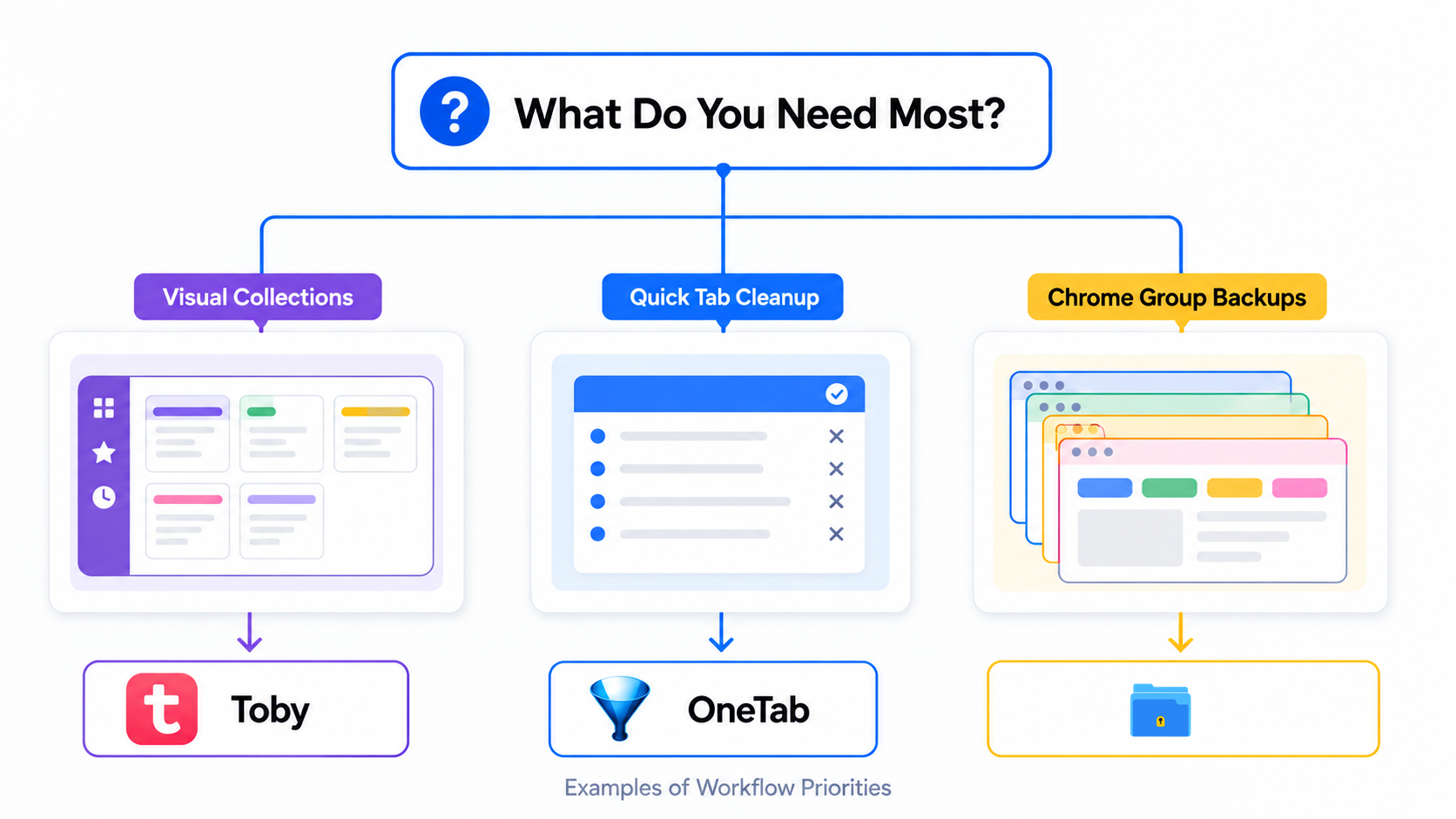
Illustrative example; layout and sample data are conceptual.
Can You Use Them Together?
Technically, yes. Toby can manage a visual workspace, OneTab can hold quick Tab lists, and TabGroup Vault can back up Chrome Tab Groups. The cost is maintaining multiple saved-Tab systems.
Most people are better off picking the tool that matches their main workflow. Use Toby if the workspace view is the product you want. Use OneTab if speed and simplicity matter most. Use TabGroup Vault if preserving Chrome Tab Groups is the job.
The Verdict
Toby, OneTab, and TabGroup Vault are not three versions of the same idea. Toby is a visual workspace. OneTab is a lightweight list. TabGroup Vault is a Chrome Tab Group backup and restore tool.
If you came here for Toby vs OneTab, the quick answer is Toby for visual organization and OneTab for simple Tab reduction. If you use Chrome Tab Groups and need snapshots, export, restore, and backup, TabGroup Vault is the more direct fit.