Which Chrome Tab organizer should you choose?
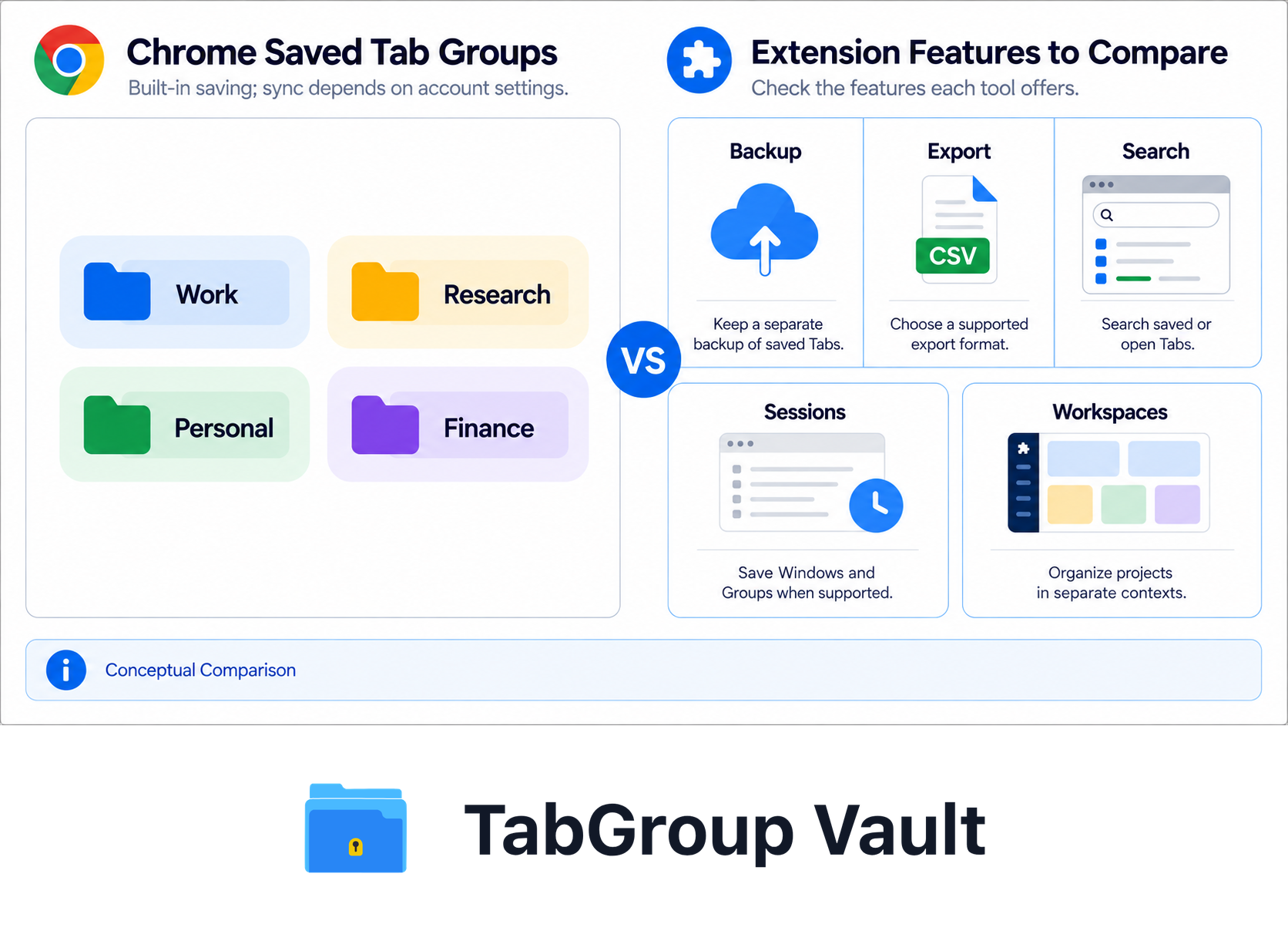
Illustrative example; layout and sample data are conceptual.
The practical Chrome Tab organizer setup is simple: use Chrome Tab Groups first, give each Group a clear name, then add an extension only when you need backup, export, Session restore, workspace organization, or stronger search.
Chrome already supports named and color-coded Tab Groups, collapsed Groups, reopened Groups, Tab and Group search, and saved Groups that sync when you are signed in with the same Google Account. If the Group itself matters, native Groups should be the base. If rebuilding the work would hurt, keep a separate snapshot or export.
Best Tab Group names for organization
Good Tab Group names are short enough to scan and consistent enough to reuse. Pick one naming pattern for normal days, then use project or status names only when you need more detail.
| Pattern | Good Tab Group names | Best for |
|---|---|---|
| Project | Website Refresh, Client Portal, Launch Plan, Q3 Roadmap | Focused work that lasts more than one sitting. |
| Status | Today, Waiting, Review, Next, Later, Archive | Moving Tabs through a workflow without losing context. |
| Client or account | Acme, Client A, Vendor Calls, Partner Research | Client work, sales, support, and account management. |
| Energy level | Deep Work, Quick Wins, Admin, Reading | Choosing Tabs based on the kind of attention you have. |
| Frequency | Daily, Weekly, Monthly, Someday | Recurring dashboards, reports, planning, and maintenance Tabs. |
| Time horizon | Now, This Week, This Month, Later | Separating active work from Tabs you are not ready to close. |
| Life area | Work, Personal, Admin, Research, Reading | Simple daily organization. |
| Prefix | Work - Planning, Client - Acme, Read - Later | Keeping related Groups together when the Tab strip gets busy. |
Do not make every Group name clever. Boring names win because you can recognize them at a glance. If naming is the sticky part, pair this with a repeatable keyboard workflow from our Chrome Tab Groups keyboard shortcuts guide.
Quick chooser
| Feature | What to Check |
|---|---|
| TabGroup Vault | Save Group backups and whole Sessions. Local data; optional Pro Drive backup and Window-close auto-save. Keep an export outside the Profile. |
| Session Buddy | Session and Window organization with automatic local backups. Native Chrome Group support remains on its roadmap. Cloud collections have a separate rollout and plan. |
| Tab Session Manager | The current developer listing includes Chrome/Firefox Group saving, automatic saves, and optional cloud sync. Chrome Group saving no longer requires a companion extension. |
| OneTab | Save Tabs into lists. Its current documentation also describes encrypted cross-browser sync, folders, notes, and tasks. Test exact Chrome Group metadata restoration separately. |
| Workona | Project spaces with resources, notes, and tasks. Tab management must be enabled; it documents Session backups and cross-device use. Check current plans instead of assuming a fixed monthly price. |
| Toby | Visual link collections and shared Spaces with account sync. Its current plans include Session saving. Collection organization is not evidence of identical Chrome Group metadata restoration. |
| Tab Manager Plus | Free, open source under MPLv2. The current repository documents open-Tab search, Window saving, and limits on open Tabs. Compare restore behavior using your own sample Group. |
Sources Checked October 1, 2026: TabGroup Vault Features · Session Buddy Roadmap · Session Buddy Backups · Session Buddy Cloud Plans · Tab Session Manager · OneTab · Workona Tab Manager · Toby · Tab Manager Plus Source
Set up Chrome Tab Groups first
Start with what Chrome already handles. Create Groups for active work, give each Group a name and color, collapse Groups you do not need right now, and use Chrome's Tab and Tab Group search when the Tab strip gets crowded.
Chrome says Tab Group changes are automatically saved and synced across devices when you are signed in with the same Google Account. Sync can be controlled through Open Tabs settings, so check that toggle if you expect Groups to follow you between computers.
A closed Group is not deleted. Chrome lets you reopen closed Groups from its Tab Group UI, which makes native Groups a solid baseline for everyday organization.
AI Tab Organizer. Google announced Tab Organizer in Chrome M121 as an experimental AI feature that suggests and creates Groups from open Tabs, including suggested names and emoji. It can help with first-pass grouping, but it is not a backup system. For the dedicated walkthrough, use our Chrome AI Tab Organizer guide.
Split View. Chrome Help documents Split View for showing two websites in one Chrome Window. Treat it as a layout feature, useful for side-by-side work, not as a replacement for Groups, Sessions, or backups.
That covers everyday organization. Extensions earn their place when you need export, backups, richer search, saved Sessions, workspaces, or full Tab Group backup and restore. For deeper native-tool setup, see our guide on how to organize Chrome Tabs.
The best Chrome Tab organizer extensions
Use this section as a chooser, not a full buyer's guide. For a deeper side-by-side comparison, read our hands-on review of Tab managers for Chrome. For Session recovery, see our Chrome Session manager extensions guide.
1. TabGroup Vault
Use it for saving and restoring Chrome Tab Groups.
Try Chrome recovery and inspect any previously saved Group backups. Restore only data that was actually saved, check the resulting Tabs and Groups, and keep an export outside the Chrome Profile. Recovery time and fidelity depend on available data and the restore operation.
The free tier gives you 10 snapshots, and the Pro version is a one-time $39 payment for unlimited snapshots, auto-save, and export. No monthly subscription.
TabGroup Vault · ★ 4.6 stars · over 1,000 weekly active users
Price: Free (10 snapshots) / $39 one-time Pro
Best for: Users who rely on Chrome Tab Groups
Standout: Preserves Tab Group structure, colors, names, and order
Best when you already organize with Chrome Tab Groups
Unlike flat Tab lists, TabGroup Vault saves the Group structure itself. This quick demo shows the full save-and-restore loop.
2. OneTab
Use it when you want to collapse open Tabs into a list fast.
OneTab converts open Tabs into a restorable list, which can reduce memory use and make a crowded Window manageable. It also supports export/import, sharing, folders, tasks, notes, and cross-browser sync.
Use OneTab for cleanup, not as your only archive for work you would hate to rebuild. OneTab warns that uninstalling and reinstalling for troubleshooting can delete stored Tabs, so export important lists before making changes.
3. Session Buddy
Use it for local-first saved Sessions and crash recovery.
Session Buddy handles Session restore, Tab and bookmark collections, search, export, and backups. The Chrome Web Store listing shows a 4.7 rating, 25.1K ratings, 1,000,000 users, and version 4.1.1 updated February 13, 2026.
Choose it when the job is saving and recovering Sessions. If native Chrome Tab Group structure matters, pair it with a Tab-Group-aware saver.
4. Workona
Use it for workspace-style organization with sync.
Workona fits project spaces, autosave, cross-device sync, search, and team or workspace use. The Chrome Web Store listing shows a 4.6 rating, 3.8K ratings, and 200,000 users.
5. Toby
Use it for visual workspace collections on the new Tab page.
Toby organizes links and resources into visual workspaces and collections. It supports search, Sessions, sharing, and AI tools.
The tradeoff is that Toby changes your organization model. That can be useful if you want a visual command center, but less useful if you already rely on Chrome's native Tab Groups.
6. Tab Manager Plus
Use it for searching and moving through many open Tabs.
Tab Manager Plus is a lightweight open-source option for Tab search and Window management. Version 6.0.0 supports saved Windows, Tab limits, and Chrome/Firefox support.
Use it when your problem is "I know this Tab is open somewhere." For long-term backup, add a Session manager or Tab Group saver.
Feature comparison table
The real differences are Group support, Session saving, automation, and backup.
How to choose the right Tab organizer
Use the workflow, not the logo.
If you use Chrome Tab Groups
Try Chrome's built-in saved Tab Groups first if you only need naming, colors, collapse, search, sync, and reopen behavior. Use TabGroup Vault when you need separate snapshots, export, auto-save, and full restoration of Group names, colors, and Tab order.
If you just want to reduce memory usage
OneTab collapses open Tabs into a restorable list. Export important lists before treating them as long-term storage.
If you need full workspace management
Workona fits when you want workspace-style organization with sync and cloud backups. Toby is better if you want visual new-Tab collections, notes, and saved spaces without adopting a heavier workspace system.
If you want to search through open Tabs
Tab Manager Plus adds a searchable Tab list and Window overview without changing how you organize everything else.
Pro tip
You can combine extensions for different jobs. For example, use TabGroup Vault to save your Tab Groups and Tab Manager Plus to search through open Tabs. Extensions that serve different functions rarely conflict with each other.
Our recommendation
If you want the lowest-friction Chrome Tab organizer, start with native Tab Groups and better names. That alone fixes a surprising amount of Tab clutter.
If Chrome Tab Groups are part of your workflow and the Group structure matters, add TabGroup Vault. It saves Groups as Groups, preserving names, colors, and Tab order when you restore them.
If you do not use Tab Groups and just want to clear clutter, OneTab is still a practical option. If you want Session history and backups, start with Session Buddy or the broader Chrome Session manager extensions guide. If your work is organized by projects or clients, compare Toby and Workona in our best Chrome Tab manager review.