Quick Answer: How to Close All Tabs on iPhone 14
Safari on iPhone: open the Tab overview, touch and hold Done, then tap Close All [number of] Tabs. If you use Chrome on iPhone, tap the Tab switcher, then tap Close All.
That solves the immediate cleanup. The harder part is what comes next: closing Tabs without feeling like you just threw away work you might need later.
What Is Tab Hoarding?
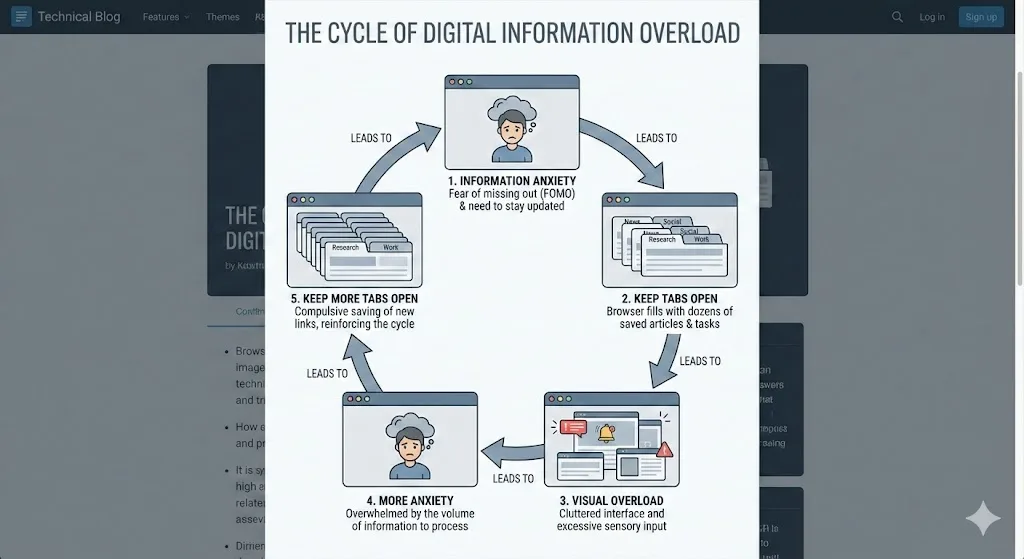
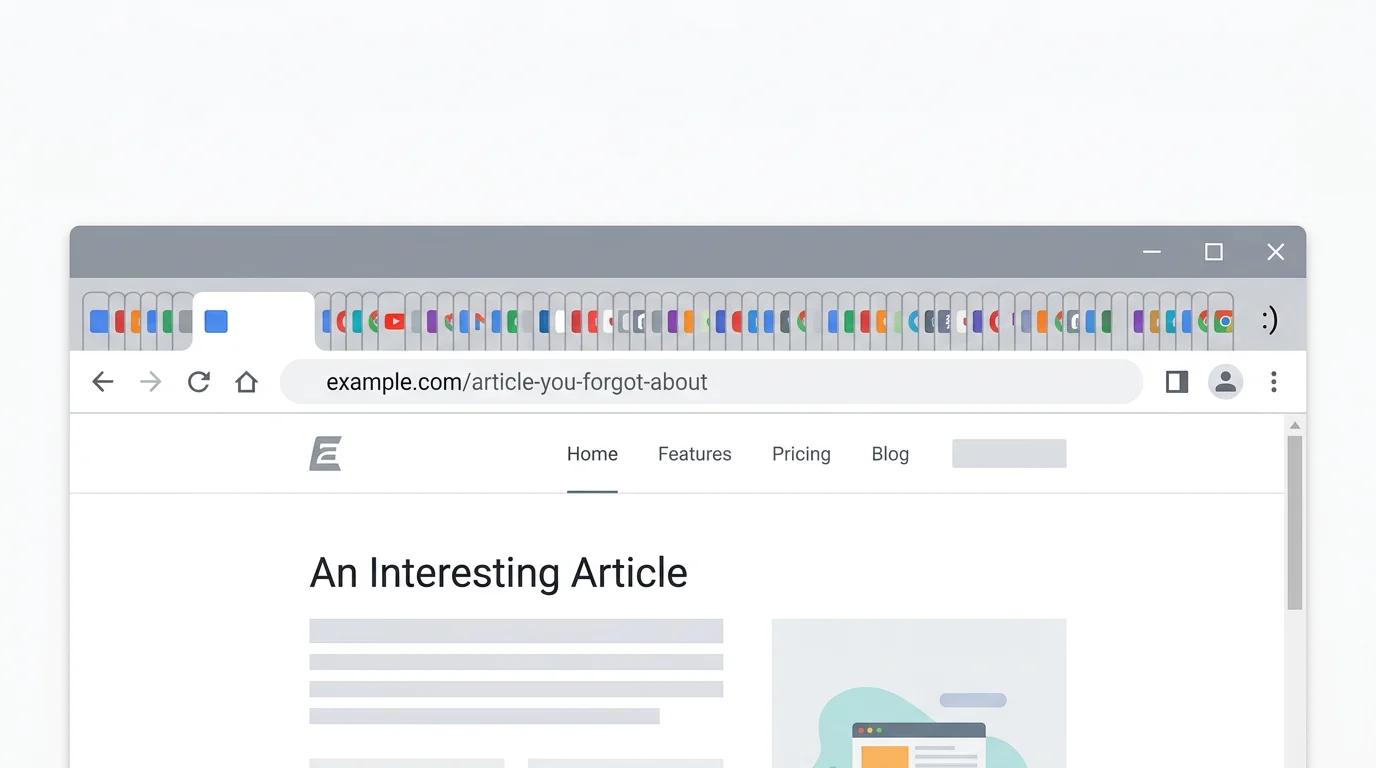
Tab hoarding is the habit of keeping far more browser Tabs open than you are actively using. If you have ever looked at your Tab bar and seen nothing but tiny indistinguishable favicons, you know the feeling.
You are not alone. A 2021 Tab-overload study surveyed and interviewed 103 participants and found that people often keep Tabs open as reminders, and because closing them can feel like losing work.
So why do we do it? And how do we stop without that small panic that we just closed something we needed?
The Psychology Behind Tab Hoarding
1. Information anxiety
Information anxiety is the fear that you do not have enough information or that the information you need will be unavailable when you need it. In a world of endless web content, every open Tab represents a piece of information you might need. Closing it feels like choosing to be less prepared.
That pull can be especially strong for researchers, students, and knowledge workers. Their work often means gathering information, comparing sources, and leaving a trail they may need to retrace later.
2. Loss aversion and FOMO
Psychologists have documented that people feel the pain of losing something about twice as strongly as they feel the pleasure of gaining something equivalent. Applied to Tabs, this means the anxiety of potentially losing a useful page feels much worse than the mild satisfaction of having a clean browser.
Tab FOMO is real: "What if I close this and then need it tomorrow? What if I can never find this exact article again?" Even though Chrome has history and search engines make refinding most pages trivial, the emotional weight of potential loss keeps Tabs open.
3. Deferred decision-making
Every open Tab represents a decision you have not made: Should I read this article? Should I buy this product? Should I respond to this email? Keeping the Tab open defers the decision without resolving it. The Tab becomes a visual to-do item that requires no immediate action.
This is why closing Tabs feels uncomfortable. It is not really about the Tab. It is about being forced to make a decision: do something with this page, or admit that you are never going to.
4. Executive function and ADHD
For people with ADHD or executive function challenges, Tab hoarding has an additional dimension. The difficulty of prioritizing, organizing, and sequencing tasks means that Tabs accumulate as a form of externalized memory. Each Tab is a reminder of something the person intended to do. Closing it removes the reminder, which can mean the task is forgotten entirely.
This is not laziness or poor discipline. It is a genuinely adaptive strategy for managing attention challenges. The problem is that it does not scale, and eventually the sheer number of Tabs becomes its own source of overwhelm.
A Quick Caveat
Tab hoarding is a common habit, not a clinical condition. If digital clutter is causing real distress or getting in the way of daily life, consider speaking with a professional about information anxiety or executive function challenges.
The Real Cost of Tab Hoarding
Understanding the costs can help motivate change.
Cognitive overload
Research on cognitive load shows that visual clutter competes for attention even when you are trying to ignore it. A Tab bar with 80 tiny icons is a constant low-level distraction. Your brain is always partially processing whether any of those Tabs need attention.
Performance degradation
Memory use varies widely by site, browser state, extensions, and media on the page. Still, a large Tab pile can push Chrome's memory use up and leave less room for the apps you are trying to use.
Reduced ability to find things
The irony of Tab hoarding is that keeping everything open makes it harder to find anything. When Tab titles are invisible because the Tabs are too small, you spend more time scanning and clicking than you would if you had fewer, well-organized Tabs.
Emotional weight
Many Tab hoarders report a vague but persistent sense of guilt or anxiety about their open Tabs. The browser becomes a visual representation of unfinished business, and opening it each morning starts the day with a reminder of everything that is incomplete.
| Cost | With Fewer Active Tabs | With 100+ Open Tabs |
|---|---|---|
| Chrome memory use | Usually easier to manage | Can grow noticeably, depending on the pages |
| Time to find a Tab | 2-3 seconds | 30-60 seconds |
| Tab titles visible | Yes | No (favicons only) |
| Risk of data loss in crash | Low | High |
| Cognitive load | Manageable | Significant |
| Feature | What to Check |
|---|---|
| Use the Current Safari Controls | Open the Tab overview, then use Safari’s Close All Tabs command for the current Tab Group. Controls vary by iOS version; follow Apple’s guide for your version. Review any Tabs you need before closing. |
Sources Checked October 1, 2026: Safari on iPhone
How to Break the Tab Hoarding Habit
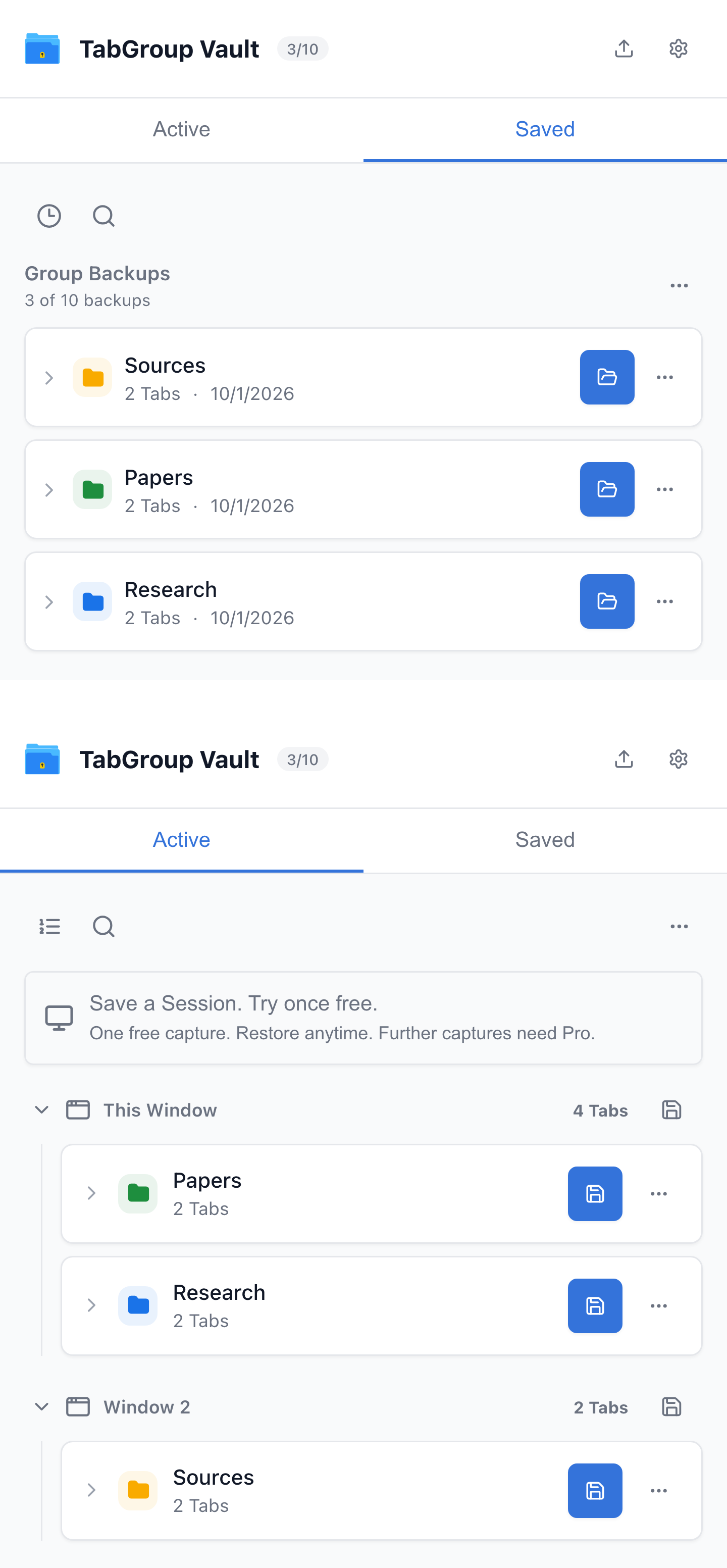
Current TabGroup Vault UI with sample Chrome data. The restore pair shows the same Research Group before and after the production restore action.
The solution is not willpower. Telling yourself to "just close Tabs" skips the part that makes closing Tabs feel risky. You need a way to save the work first, then close the browser without bargaining with yourself.
Step 1: Make saving easy
The best first move is to use a tool that saves all your Tabs with one click and restores them just as easily. Once saving is easy, closing Tabs stops feeling like a gamble.
For Tab Group users, TabGroup Vault does this while preserving the full structure of your Groups. Save a snapshot, close the Group, and restore it any time you need it. The Tabs are not gone. They are archived.
TabGroup Vault
How it helps with Tab hoarding: Removes the fear of closing Tabs by making saving and restoring instant and reliable.
Free: 10 snapshots to start. Pro: $39 one-time for unlimited snapshots and auto-save.
Step 2: Categorize before you close
Group your open Tabs by project or topic using Chrome Tab Groups. This step is therapeutic in itself because it transforms a chaotic wall of Tabs into a structured, understandable workspace. Once categorized, you can see which Groups are active work and which are just sitting there.
Step 3: Apply the 3-day rule
For each Tab Group, ask: "Have I looked at any Tab in this Group in the past 3 days?" If not, save the Group with TabGroup Vault and close it. Three quiet days usually means the Group is not part of your active work, even if it still feels important.
Step 4: Create a "Read Later" system
Many hoarded Tabs are articles and content you intended to read but have not gotten to. Move these to a dedicated system. Options include a "Read Later" Tab Group (that you save and close weekly), a note-taking app, or Chrome's built-in reading list. Getting these out of your active Tab bar reduces visual noise without losing them.
Step 5: Build daily maintenance habits
Spend 2-3 minutes at the end of each day on Tab maintenance:
- Save a snapshot of your current Tab Groups.
- Close any Tabs or Groups for completed tasks.
- Move "read later" content to its designated place.
- Check that no ungrouped Tabs have accumulated.
This daily habit prevents the gradual slide back into hoarding. It is much easier to organize 5 new Tabs than to clean up 200 accumulated ones.
Step 6: Accept that you will not read everything
This is the hardest step. Many hoarded Tabs are aspirational: articles you want to read, courses you want to take, tools you want to try. Accepting that you will not get to all of them is uncomfortable but necessary. Save them in a bookmark folder or note if you want, but get them out of your active browser. They are adding cognitive load without providing value.
The Tab Hoarder's Mantra
"If I can save it and find it later, I do not need to keep it open." Repeat this every time you hesitate to close a Tab. With TabGroup Vault, saved Tabs are restorable any time.
Tools That Help
The right tools turn the strategies above into a practical daily workflow. If you want a broader comparison, start with our guide to the best Chrome Tab managers or the dedicated Tab Session manager walkthrough.
- TabGroup Vault - Saves and restores Tab Groups, so you can close a workspace without losing it.
- Chrome Tab Groups - Built-in categorization. Collapsing Groups hides Tabs without closing them. In Chrome on iPhone and iPad, Tab Group changes are saved and synced when you are signed into the same Google Account.
- Chrome Tab search - Finds any open Tab by title. Use Ctrl + Shift + A on Windows or Linux, or Command + Shift + A on Mac.
- Chrome Memory Saver - Deactivates unused Tabs to save memory and reloads inactive Tabs when you open them again. It can help performance, but it does not solve the mental clutter of too many Tabs. Chrome performance personalization is desktop-only, not iOS or Android.
Measuring Progress
Track your Tab count at the end of each day for a week. You should see the count drop once saving and closing become part of the same habit. A reasonable target is 20-40 visible Tabs, with extra Tabs tucked into collapsed Groups and saved snapshots.
Do not aim for zero Tabs. That is not realistic for knowledge work. The goal is a Tab count that you can manage without stress, where every visible Tab is there for a reason you can articulate.
For a step-by-step cleanup process, read how one person went from 200+ Tabs to under 40. For the full system that keeps Tabs organized over time, see our guide to building a complete Tab management system.