The 30-Tab Research Session Problem
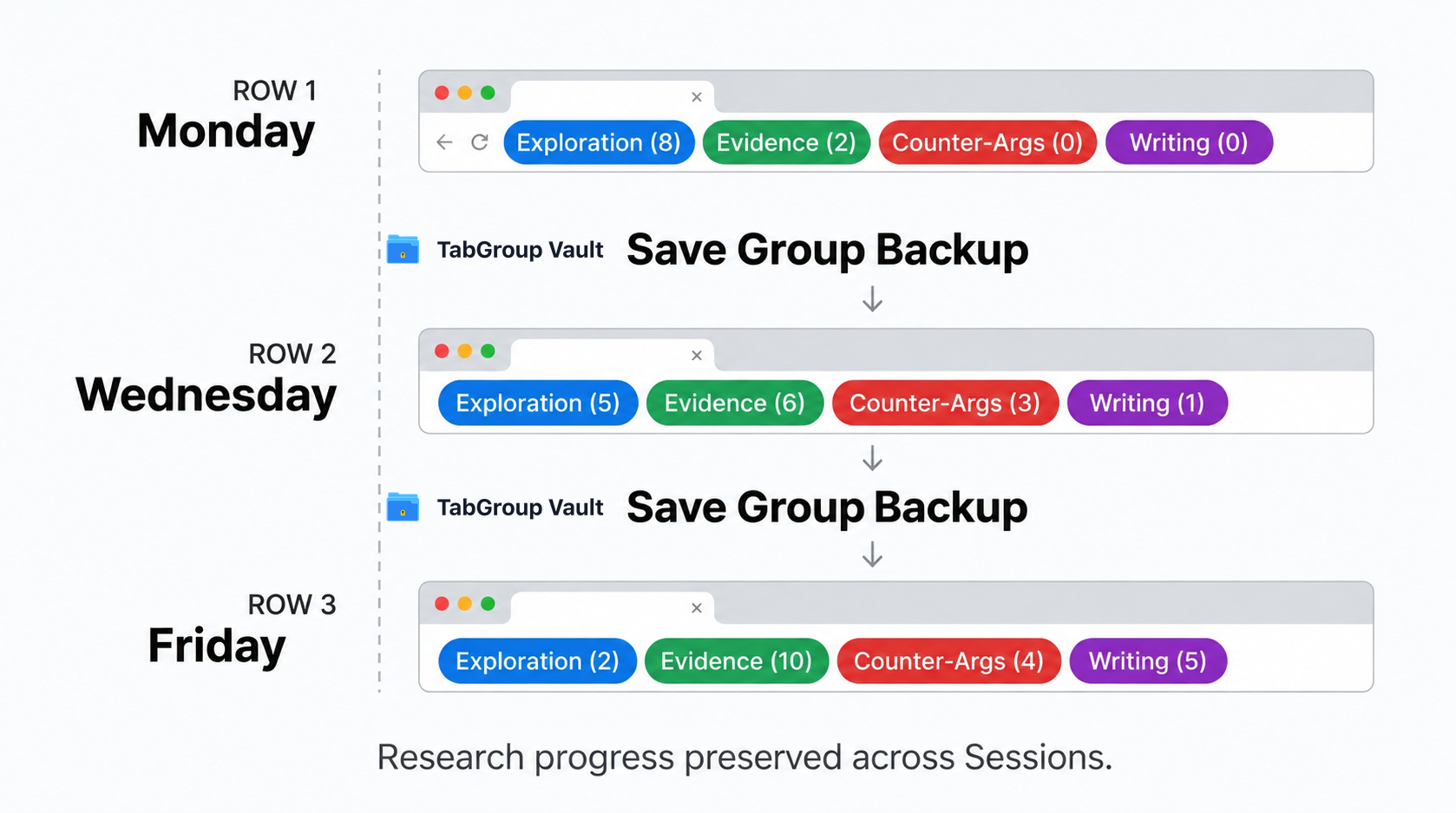
It usually starts innocently. You're looking into a single question: say, the economic impact of remote work on mid-sized cities. You open a few academic papers. One of them references a Bureau of Labor Statistics dataset, so you open that too. The BLS page has a methodology section you don't fully understand, so you open the explanatory PDF. An hour later, you have 28 Tabs open across three loosely related sub-topics, and you're actually making real progress. The picture is coming together.
Then Chrome crashes. Or your laptop runs out of battery. Or: this one stings especially: you accidentally close the Window instead of a single Tab. The Session history might let you reopen some of them, but the organizational structure is gone. The "you were making real progress" feeling evaporates. You spend the next 45 minutes trying to reconstruct what you had, re-finding sources you can only half-remember, and wondering if you've actually recovered everything or if something important is now lost.
This is the core problem with deep research in the browser: your browser Session is simultaneously your research tool and your research workspace, but it was never designed to protect valuable intellectual work the way a document editor does. When you close Word without saving, it warns you. When you close Chrome with 30 open research Tabs, it just closes.
The solution is straightforward: make saving your browser state as automatic as hitting Ctrl+S: but most researchers have never built that habit because the right tooling hasn't been visible enough. Tab Groups, used well, solve this.
Why Tab Groups Are Better Than Bookmarks for Research
The instinctive response to "I need to save these Tabs" is to bookmark them. And for simple cases: a recipe you want to come back to, a product page to revisit: bookmarks work fine. But for deep research Sessions, bookmarks are a poor fit for a few specific reasons.
First, bookmarks are flat. You can organize them into folders, but a folder of 28 bookmarks gives you no sense of why each link was saved, or how they relate to each other. The Tabs in an active research Session have spatial relationships: that Stack Overflow answer is right next to the documentation page that contradicts it; those two academic papers are adjacent because you're comparing their methodologies. That relational context is completely lost when you flatten everything into a bookmark folder.
Second, bookmarks require you to stop and think before saving. In the middle of a research flow, the cognitive overhead of "should I bookmark this? what folder does it belong in?" is just enough friction to make you not do it. Tab Groups let you throw related URLs into a named Group without breaking your research momentum.
Third, and most importantly for active research: bookmarks are static snapshots, but your open Tabs are a live working state. When you reopen a Tab Group, you're picking up where you left off: the page is loaded, your scroll position may be preserved, and you can immediately continue reading. Opening from a bookmark means the page loads fresh, and you have to re-orient within it.
The Phase-Based Research System
The most effective Tab Group structure for deep research mirrors the actual phases of the research process. Here's a system that works well across academic research, journalism, and professional analysis:
- Exploration Group: This is your casting-a-wide-net phase. Every Tab you open during initial browsing goes here. Wikipedia, overview articles, meta-analyses, reference pages. You're not evaluating yet: you're mapping the territory. Expect 15-30 Tabs. Don't worry about organization within the Group; the goal is capture, not curation.
- Evidence Group: As you identify sources that are actually useful: the specific papers, the primary sources, the authoritative data: move them to an Evidence Group (or open them directly into it). This Group should be smaller and more deliberate. Every Tab in here is something you intend to actually use.
- Counterarguments Group: For anything that might involve contested claims or nuanced analysis, keep a separate Group for sources that push back on your working thesis. This is easy to skip, and skipping it leads to one-sided work. Keeping it as a named Group makes the intellectual discipline visible.
- Writing Group: When you're in the synthesis and writing phase, you typically have a much smaller set of Tabs open: your document, the 4-5 key sources you're actively quoting or paraphrasing, and maybe a citation manager. This Group should be tight and distraction-free.
You won't always need all four Groups. A quick research task might just have Exploration and Evidence. A major investigative piece might add a fifth Group for interview notes or source contact info. The point is to let the structure emerge from the phases of your actual process, rather than imposing an arbitrary organization scheme. If you're looking for tools to help manage all these Groups, our roundup of the best Chrome Tab organizer extensions covers the options worth considering.

Never Lose a Research Session Again
Save your entire research workspace with one click. Restore it exactly as you left it: Tabs, Groups, and all. Your deep work deserves reliable protection.
Install TabGroup Vault FreeFree tier available • Start a 7-day Pro trial
Naming Your Research Groups for Future-You
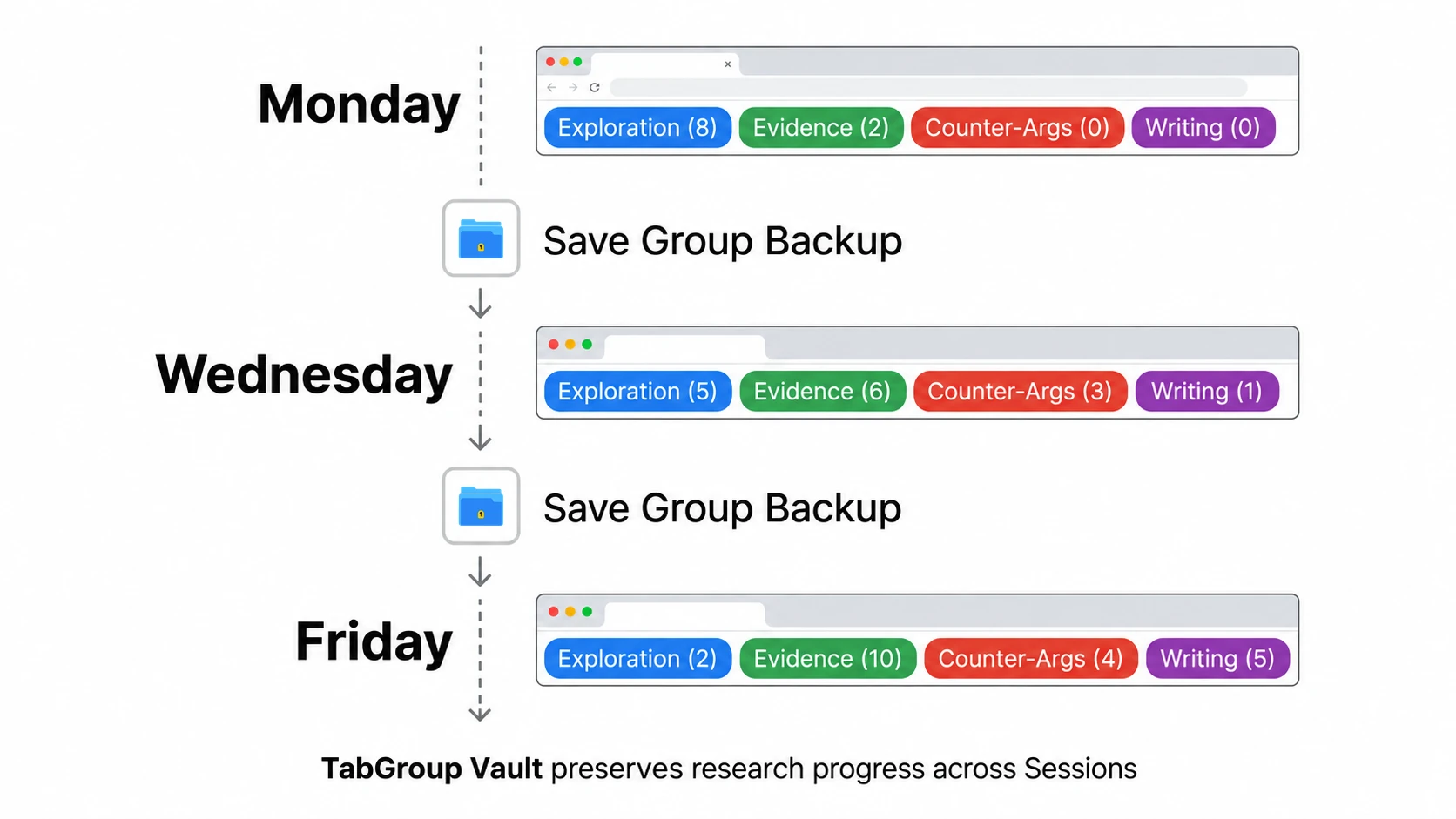
When you're in the middle of an intense research Session, the Group names you choose feel obvious. "Paper 1", "stuff to read", "misc" all seem fine when you're the one who just opened them. They feel completely opaque three days later when you return to continue the research.
Naming Groups for future-you is a discipline worth developing. A few heuristics that work well in practice:
Use the research question, not the topic. "Remote work economic impact" is a topic. "Remote work: does it hurt small cities?" is a question: and a much better Group name, because it immediately orients you to what you were trying to figure out. When you reopen that Group, you don't have to reconstruct your analytical frame from the Tabs; the Group name tells you the question.
Include the date for multi-Session research. "Climate policy options 2026-02" tells you when this Group was active, which matters when you have multiple research threads in various stages of completion. Stale research (from a different news cycle or policy environment) is often worse than no research at all.
Add a status indicator for long projects. "Thesis ch3 [DRAFT]" versus "Thesis ch3 [NEEDS SOURCES]" versus "Thesis ch3 [DONE]": a simple status tag in the Group name means you can see at a glance what state each thread is in without opening it.
Handling Multi-Session Research Projects
Some research projects span days or weeks. A journalist investigating a story might build a Tab Group Session over two weeks of interviews, document review, and background research. A graduate student might have a thesis chapter research Group open for a month. This is where the "save and restore" habit becomes most valuable: and where Chrome's default behavior is most dangerous.
The key practice for long-running research is what you might call "checkpoint saving." At the end of each research Session: or before any significant context switch: save your current Group state. Don't replace the previous save; if your tool supports it, create a new named snapshot. "Climate policy: Feb 15 Session" and "Climate policy: Feb 18 Session" gives you the ability to roll back if you accidentally close a critical Tab or if your research direction shifts and you want to recover a previous thread.
This is also where separating your research Groups by phase pays dividends for long projects. Your Exploration Group from week one might be complete: all those Tabs have been evaluated and either moved to Evidence or discarded. You can save that Group, collapse it, and move on. But having that saved state available means that if you realize you missed something in your initial survey, you can restore the Exploration Group and check.
Students writing theses often report that this approach: treating each research phase as a saved checkpoint: dramatically reduces the anxiety that comes with large research projects. The work doesn't feel fragile when it's systematically preserved.
The Save Habit: Making It Automatic
Knowing you should save your research Groups is one thing; actually doing it consistently is another. Like any protective habit: backing up files, committing code: it only works if it's automatic.
The most effective trigger is a transition event. Any time you're about to do something that could change your browser state: restarting your laptop, opening a completely different project, ending a work Session: that's your cue to save. Don't ask yourself "should I save this?" in the moment; just make the transition the trigger. Ending research Session? Save. Switching to write the piece? Save. Going to lunch? Save.
The habit becomes even easier when saving is fast. With TabGroup Vault, saving your current Groups takes two clicks. That's a low enough friction that it can realistically become automatic. The Tabs will still be there in the morning, exactly as you left them. You can close Chrome and actually shut your laptop down, rather than leaving it running all night to preserve your Session.
There's a psychological dimension to this that's easy to underestimate. Knowing your research is saved changes how you work. You're less reluctant to close and reopen things, less anxious about system updates, less stressed when Chrome needs to restart. That mental overhead: the low-grade worry about losing your Session: is eliminated, and that's cognitive bandwidth you can redirect toward the actual research.