The 23-Minute Problem
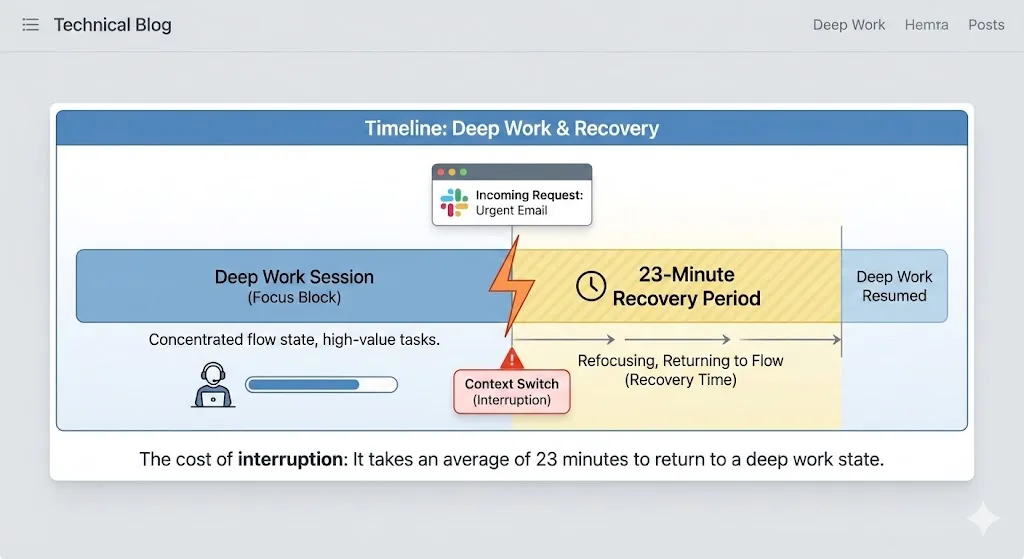
In 2005, Gloria Mark and her colleagues at the University of California, Irvine published a landmark study on workplace interruptions. They observed knowledge workers in real work environments and measured the cost of interruptions with precision. The finding that has been cited thousands of times since: it takes an average of 23 minutes and 15 seconds to return to a task after being interrupted.
Two decades later, the situation has gotten worse, not better. Modern knowledge workers do not just face phone calls and colleague walk-ups. They face a constant stream of Slack notifications, email alerts, calendar reminders, and the temptation of open browser tabs pulling attention in multiple directions at the same time.
Follow-up research from the same group found that knowledge workers switch tasks an average of once every three minutes. Most of these switches happen inside the browser itself -- from a document to an email, from a code editor to a chat window, from a project board to a research tab.
How Context Switching Works
Context switching is not just about losing focus for a moment. It involves a complete mental reset. When you are deep in a task -- writing code, analyzing data, drafting a proposal -- your brain builds a mental model of the problem. This model includes:
- The current state of the work (where you are in the process)
- The relevant variables and constraints (what you need to keep in mind)
- The intended next steps (what you were about to do)
- Background context (decisions you already made and why)
When you switch to a different task, this mental model is displaced. Your brain has to unload the current context and load a new one. When you switch back, you have to reconstruct the original model from scratch. That reconstruction is what takes 23 minutes.
The Browser as Context-Switching Ground Zero
The browser is the single largest source of context switches for knowledge workers. Consider a typical scenario:
- You are writing a document in Google Docs (Context A)
- A Slack notification appears. You click to another tab to read it (Switch to Context B)
- The Slack message mentions a Jira ticket. You open Jira in a new tab (Switch to Context C)
- While in Jira, you notice an email notification in your Gmail tab (Switch to Context D)
- The email links to a Google Sheet. You click through (Switch to Context E)
- You eventually return to your document, having lost your train of thought entirely
Five context switches in under two minutes, all without leaving the browser. Each one disrupts the mental model you were building. The cumulative cost is enormous.
The Real Cost in Hours
Let us quantify this. If you experience just 10 significant context switches per day (a conservative estimate for most knowledge workers), and each one costs even 10 minutes of refocusing time (less than the full 23-minute research average), that is:
| Context Switches/Day | Recovery Time Each | Daily Loss | Weekly Loss |
|---|---|---|---|
| 5 (light) | 10 minutes | 50 minutes | 4.2 hours |
| 10 (moderate) | 10 minutes | 1 hr 40 min | 8.3 hours |
| 20 (heavy) | 10 minutes | 3 hr 20 min | 16.7 hours |
| 10 (moderate) | 23 minutes | 3 hr 50 min | 19.2 hours |
Even the moderate scenario costs more than a full workday per week. The heavy scenario -- common among remote workers managing multiple projects -- costs over two full workdays.
The Fix: Tab Groups as Mental Bookmarks
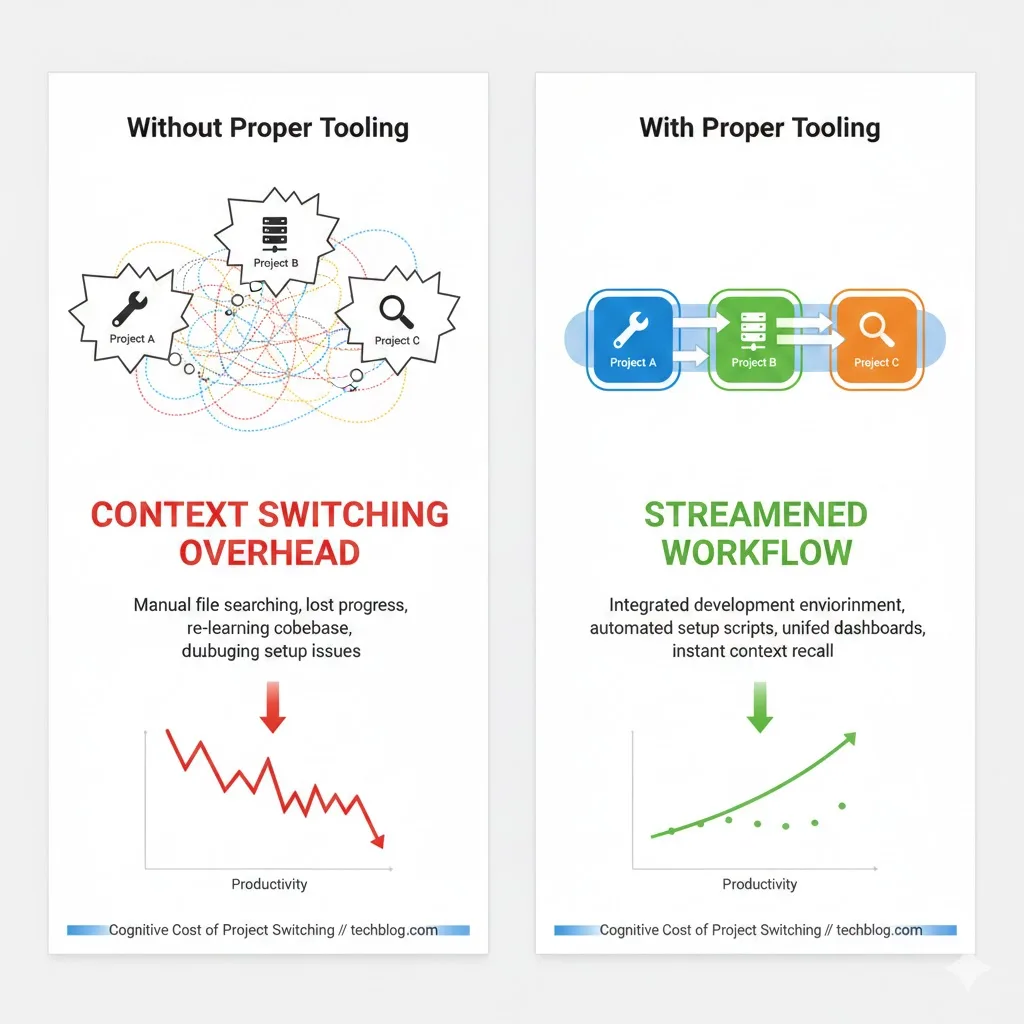
You cannot eliminate context switching entirely. Modern work requires moving between projects, responding to communications, and handling administrative tasks. But you can reduce the cost of each switch.
The key insight is this: the recovery time after a context switch is mostly spent reconstructing your mental model of the previous task. If you can preserve that model externally -- in a way that lets you reload it instantly -- the recovery time drops from minutes to seconds.
Chrome tab groups do exactly this. When you organize your tabs by project or context, each tab group becomes a mental bookmark. It captures not just the URLs you were using, but the structure of your workflow: the document you were editing, the reference material you were consulting, the tools you were using, and the communication channels relevant to that context.
Switching from Project A to Project B becomes:
- Collapse the Project A tab group (preserving your place)
- Expand the Project B tab group (loading your previous context)
- Resume exactly where you left off
Total transition time: 2-3 seconds instead of 10-23 minutes.
Making Tab Groups Persistent with TabGroup Vault
There is one critical weakness in the tab-group-as-mental-bookmark approach: tab groups are fragile. Chrome can lose them during crashes, updates, or accidental window closes. When that happens, you lose not just your tabs but the organizational structure that made context switching fast.
TabGroup Vault adds persistence to this system. By saving tab group snapshots, you create recoverable mental bookmarks that survive any disruption.
TabGroup Vault
What it does: Saves and restores Chrome tab groups with full color, name, and URL preservation. Price: Free (5 snapshots) / $29 lifetime Pro (unlimited snapshots, bulk restore, Google Drive backup, 5 Chrome profiles, dark theme). For context switching: Save your workspace at any point and restore it after interruptions, crashes, or end-of-day shutdowns. Your mental bookmarks are always recoverable.
Five Strategies to Reduce Context Switching
Beyond tab groups, these strategies reduce the frequency and cost of browser-based context switching:
1. Batch Communication Windows
Instead of checking email and Slack continuously, schedule 3-4 communication windows per day (e.g., 9 AM, 12 PM, 3 PM, 5 PM). Outside these windows, collapse or mute your communication tab group. This alone can cut context switches by 40-50%.
2. Use the Two-Group Rule
Keep at most two tab groups expanded at any time: the one you are actively working in and your admin/communication group (when in a communication window). Everything else stays collapsed. This reduces visual distraction and the temptation to switch.
3. Create a "Parking Lot" Tab Group
When something comes up that needs attention but is not urgent, do not switch to it immediately. Instead, open the tab in a "Parking Lot" group. Review parking lot items during your next planned break or communication window. This captures the thought without disrupting your current context.
4. Save Before You Switch
If you must switch contexts for an urgent matter, take 5 seconds to save a snapshot in TabGroup Vault first. This ensures your current context is fully preserved and reduces the anxiety of leaving work in progress. Knowing you can restore your exact state makes it easier to let go of the current task temporarily.
5. Protect Deep Work Blocks
Designate 2-3 hour blocks where you work in a single tab group with no communication tabs open. Use a site blocker like Freedom to enforce this during deep work periods. These uninterrupted blocks are where your most valuable work happens.
The Compound Effect
These strategies do not just save time. They improve the quality of your work. Deep, uninterrupted focus produces better writing, fewer bugs in code, more creative solutions, and more thorough analysis. The 23-minute recovery cost is not just dead time -- it represents degraded work quality during the recovery period as well.
Workers who implement structured context-switching reduction report not just higher productivity but lower stress and greater job satisfaction. Browser organization is a mental health intervention as much as a productivity one.
The Bottom Line
Context switching is one of the few productivity problems that has a clear, measurable cost and a practical, actionable solution. The browser is where most switches happen, and tab groups are the most effective tool for reducing their impact. Combined with batched communication, intentional workspace management, and TabGroup Vault for persistence, you can realistically recover 1-2 hours of productive time per day.
That is not a marginal improvement. Over a year, it is the equivalent of 250-500 additional hours of focused work. For anyone whose output depends on sustained concentration -- writers, developers, designers, analysts, researchers -- the return on organizing your browser is enormous.