Why You Need a Session Manager Extension
Chrome's built-in session restore is unreliable. It fails after crashes, drops tab groups, and only remembers your most recent session. If you work with more than a dozen tabs open, losing a session means losing hours of accumulated context: the research tabs you curated, the documentation pages you had lined up, and the web apps you had open.
A session manager extension solves this by saving your tabs independently from Chrome's internal storage. When Chrome fails, your tabs are still there. Most session managers also let you save multiple named sessions, switch between project contexts, and restore sessions days or weeks later.
We tested the most popular session manager extensions available in 2026 and evaluated them on features, reliability, tab group support, pricing, and ease of use. Here is what we found.
Quick Comparison Table
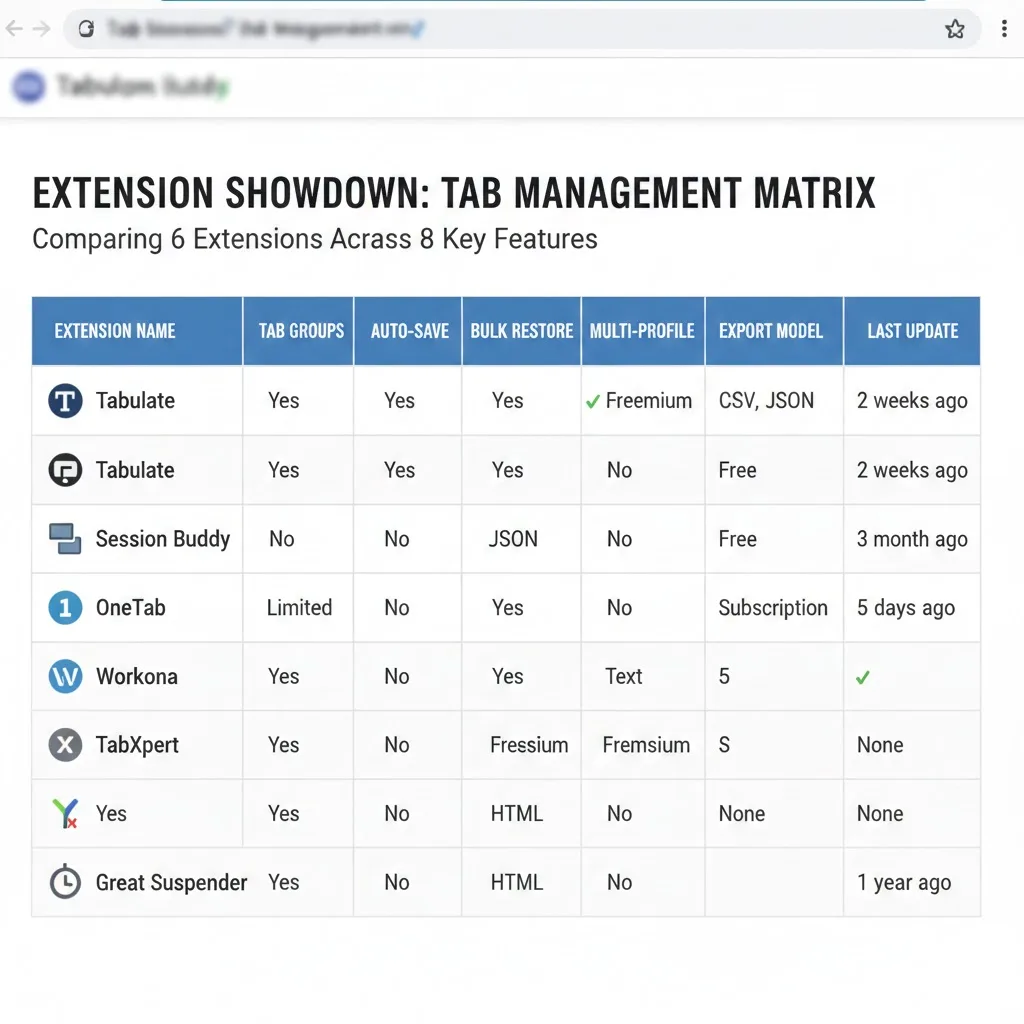
| Extension | Tab Groups | Auto-Save | Cloud Backup | Pricing | Best For |
|---|---|---|---|---|---|
| TabGroup Vault | Full support | Yes | Google Drive | Free / $29 Pro | Tab group users |
| Session Buddy | No | Yes | No | Free / $5 donate | Basic session saving |
| Tab Session Manager | Partial | Yes | Google Drive | Free | Power users |
| SessionBox | No | No | Yes (paid) | Free / $5/mo | Multi-account browsing |
| Workona | Own system | Yes | Yes (paid) | Free / $7/mo | Team workspaces |
| OneTab | No | No | No | Free | Tab reduction only |
Detailed Reviews
1. TabGroup Vault
Best for: Users who rely on Chrome tab groups and want reliable, crash-proof backups.
TabGroup Vault was built around Chrome's tab groups feature. While other session managers save flat lists of tabs, TabGroup Vault preserves the complete tab group structure: names, colors, collapsed/expanded states, and the order of tabs within each group.
The extension takes automatic snapshots of your tab groups, storing them independently from Chrome's internal session files. Your data survives crashes, forced restarts, Chrome updates, and even a complete Chrome reinstall. The Pro tier adds Google Drive backup for cross-device protection and supports up to 5 Chrome profiles.
Pros:
- Full tab group preservation (names, colors, structure)
- Automatic snapshots without manual intervention
- One-click restore of individual groups or entire sessions
- Google Drive backup (Pro)
- One-time $29 purchase -- no subscription
- Support for 5 Chrome profiles (Pro)
Cons:
- Free tier limited to 5 snapshots
- Focused specifically on tab groups, not general browsing sessions
TabGroup Vault
Save and restore Chrome tab groups with full structure preservation. Free tier: 5 snapshots. Pro ($29 one-time): unlimited snapshots, bulk restore, Google Drive backup, 5 Chrome profiles.
2. Session Buddy
Best for: Users who want a simple, free session saver without tab group needs.
Session Buddy is one of the oldest session managers for Chrome. It automatically saves your browsing sessions and lets you restore them later. The interface is clean and straightforward, showing a list of saved sessions with the tabs in each one.
The main limitation in 2026 is the lack of tab group support. Session Buddy saves tabs as flat lists, so if you organized your work into named, color-coded tab groups, you lose that structure when you save and restore. For users who do not use tab groups, this is not an issue.
Pros:
- Free and well-maintained
- Simple, intuitive interface
- Automatic session saving on crash or close
- Export sessions as text, HTML, or JSON
Cons:
- No tab group support
- No cloud backup
- Can accumulate large amounts of local storage over time
3. Tab Session Manager
Best for: Power users who want extensive customization and do not mind a complex interface.
Tab Session Manager offers a wide range of features including automatic saving, named sessions, tags, and cloud sync via Google Drive or Dropbox. It has partial tab group support: it can detect and save tab group information in some cases, but the restoration of tab groups is not always reliable.
The interface is feature-dense, which helps power users but can feel overwhelming for casual users. Configuration options include auto-save intervals, session naming rules, and storage limits.
Pros:
- Free and open-source
- Extensive customization options
- Cloud sync available
- Partial tab group awareness
Cons:
- Complex interface with a learning curve
- Tab group restoration can be inconsistent
- Performance can degrade with many saved sessions
4. SessionBox
Best for: Users who need multi-account sessions (logging into the same site with different accounts).
SessionBox takes a different approach than traditional session managers. Its primary feature is letting you use multiple accounts on the same website simultaneously, each in its own isolated session. This helps social media managers, QA testers, or anyone who needs to be logged into the same service with different credentials.
It focuses less on saving and restoring browsing sessions in the traditional sense. If your primary need is recovering tabs after a crash, SessionBox is not the right tool.
Pros:
- Multi-account support is excellent
- Cloud sync for session data
- Clean, modern interface
Cons:
- Not a traditional session saver
- No tab group support
- Monthly subscription for premium features ($5/month)
5. Workona
Best for: Teams that need shared workspaces and collaborative browsing organization.
Workona replaces Chrome's new tab page with a workspace manager. It organizes tabs into projects, lets teams share workspace configurations, and integrates with tools like Google Docs, Notion, and Slack. It is a broader productivity tool rather than just a session manager.
The workspace approach works well for teams, but the monthly subscription pricing ($7/month for full features) costs more than one-time purchase alternatives. It also uses its own organizational system rather than Chrome's native tab groups.
Pros:
- Strong team and sharing features
- Integration with productivity tools
- Automatic workspace saving
Cons:
- Monthly subscription pricing
- Replaces Chrome's native tab group system with its own
- Can feel heavy for individual users
6. OneTab
Best for: Quickly reducing tab clutter (not a true session manager).
OneTab converts all open tabs into a list on a single page, freeing up memory. You can restore tabs individually or all at once. While not technically a session manager, many people use it as one because it saves tab URLs for later access.
The extension has not seen significant updates in recent years, and it lacks features modern users expect: no tab group support, no automatic saving, no cloud backup, and no multi-window awareness.
Pros:
- Extremely simple to use
- Reduces memory usage dramatically
- Free
Cons:
- No automatic saving
- No tab group support
- No cloud backup
- Development appears stagnant
Which Session Manager Should You Choose?
The best extension depends on your specific workflow:
- You use Chrome tab groups: TabGroup Vault is the clear choice. It is the only extension that fully preserves tab group structure during save and restore.
- You want a simple, free session saver: Session Buddy is reliable and has been trusted by millions of users for years.
- You want maximum customization: Tab Session Manager offers the most options and is open-source.
- You need multi-account support: SessionBox specializes in this and does it well.
- You work on a team: Workona's shared workspaces are designed for collaborative workflows.
- You just want to reduce tab clutter: OneTab is the simplest option, though it is showing its age.
Pricing Comparison
One important factor in choosing a session manager is the pricing model. Subscription costs add up over time, while one-time purchases provide permanent access.
| Extension | Free Tier | Paid Tier | 1-Year Cost | 3-Year Cost |
|---|---|---|---|---|
| TabGroup Vault | 5 snapshots | $29 one-time | $29 | $29 |
| Session Buddy | Full features | $5 donation | $5 | $5 |
| Tab Session Manager | Full features | N/A | Free | Free |
| SessionBox | Limited | $5/month | $60 | $180 |
| Workona | Limited | $7/month | $84 | $252 |
| OneTab | Full features | N/A | Free | Free |
For subscription-based extensions, the cost compounds significantly over time. A $7/month subscription costs $252 over three years, compared to $29 one-time for TabGroup Vault. A one-time purchase model is more economical for long-term use.
Our Recommendation
For most Chrome users in 2026 who use tab groups as part of their daily workflow, TabGroup Vault provides the best combination of reliability, tab group support, and value. The one-time pricing means you pay once and get permanent access to unlimited session backups, cloud sync, and multi-profile support.
If you do not use tab groups and want a completely free solution, Session Buddy or Tab Session Manager are both solid choices that have been maintained for years.
The most important thing is that you use something. Relying solely on Chrome's built-in session restore risks lost work. Any of the extensions reviewed here will be a significant improvement over nothing.